
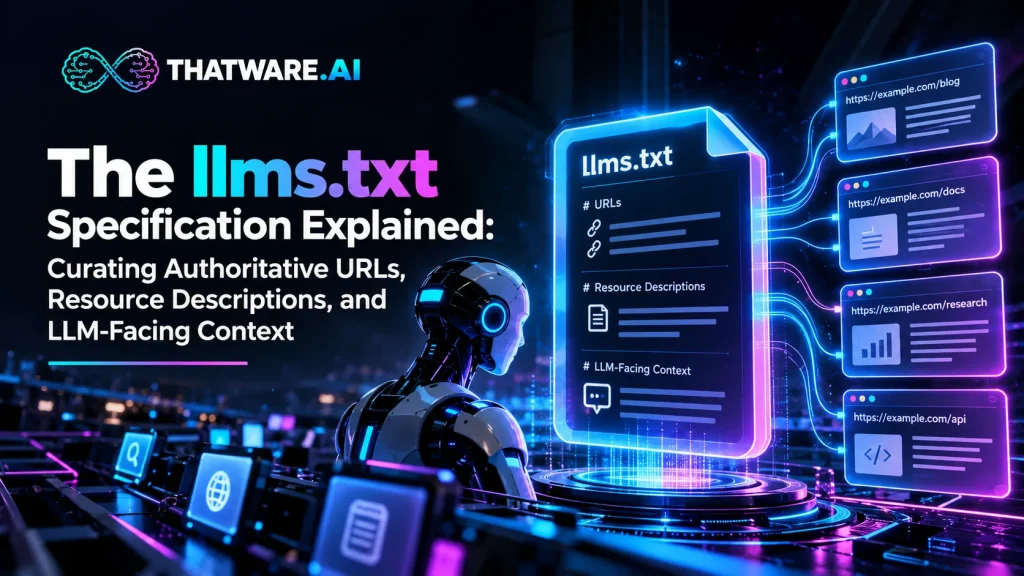
The way websites communicate information to machines is evolving. Traditional web architecture helps browsers render pages and gives search engines mechanisms to discover URLs, interpret metadata, and crawl content. However, AI assistants, language-model-based agents, and retrieval systems may need a more direct way to identify a website’s purpose, locate its most useful resources, and understand which pages provide authoritative information.
This is where llms.txt enters the discussion. It is a proposed, Markdown-based convention for presenting a concise overview of a website alongside links to selected resources. Rather than attempting to reproduce an entire website, it gives compatible tools a curated starting point: a short description of the organization, relevant content categories, and links accompanied by explanations of what those resources contain.
For businesses investing in AI readiness, the value of this approach lies in information organization rather than a promise of search performance. A well-maintained resource guide can make a website’s intended structure easier to inspect, help technical teams expose important documentation in a consistent format, and establish a clearer relationship between an organization’s identity and its published knowledge.
ThatWare.AI approaches website AI readiness through a coordinated architecture that includes five machine-readable assets: ai.txt, llms.txt, ai-manifesto.json, vector-feed.xml, and semantic-sitemap.xml. Within this broader system, llms.txt serves a specific purpose: curating important resources and explaining their relevance in a format that humans and compatible AI tools can read.
Understanding its format, intended use, limitations, and implementation requirements is essential before adding it to a website.
1. Understanding the Purpose of llms.txt
At its core, llms.txt is a plain-text Markdown document intended to provide a concise guide to a website’s most useful information. It typically identifies the website or project, summarizes its purpose, groups important resources into meaningful sections, and provides descriptive links to relevant pages.
What problem does it address?
A modern website may contain hundreds or thousands of URLs distributed across product pages, technical documentation, research articles, service descriptions, FAQs, policies, and company information. Although these resources may be accessible through navigation menus and internal links, their overall importance is not necessarily obvious from any single page.
An automated tool attempting to understand the website may need to identify:
- What the organization does and which products or services it provides.
- Which pages contain the most authoritative explanations of its offerings.
- Where technical documentation, research, policies, and implementation guidance are located.
- Which resources are relevant to a particular topic.
- How the website’s content is organized into logical categories.
A curated Markdown index can communicate some of this information directly. It does not eliminate the need to retrieve or interpret the underlying pages, but it can provide a more focused entry point for tools that choose to use it.

What makes the format different?
The defining characteristic is its simplicity. Unlike an XML sitemap, it is not designed primarily as a machine-readable inventory of URLs. Unlike a structured-data document, it does not define a comprehensive set of typed entities and properties. Instead, it uses familiar Markdown headings, paragraphs, blockquotes, and linked lists to present a concise resource guide.
The format is intended to be readable by both people and machines, allowing a website owner to explain the intended role of each resource without building a complex data schema.
This simplicity is useful, but it also places responsibility on the publisher. The quality of the file depends on the accuracy of the summary, the relevance of the selected links, and the clarity of the descriptions.
2. The llms.txt specification: Structure and Core Components
The proposed format follows a lightweight structure that can be authored manually or generated programmatically. Its design favors clear Markdown organization over a complicated hierarchy of mandatory fields.
The published proposal defines a specific order for the principal elements, while allowing optional material where it helps explain the website and its resources. The H1 containing the site or project name is the only required section in the described format.
The main components are as follows.
2.1 A primary H1 heading
The file begins with an H1 heading that identifies the website, organization, or project.
For example:
# ThatWare.AI
This establishes the identity of the resource collection. A recognizable name is preferable to a vague heading because it gives readers and compatible tools an immediate point of reference.
For an organization with multiple product lines, the heading should clearly identify the scope of the file. A general company-level index can represent the main website, while a more narrowly scoped file may describe a substantial documentation area or product resource collection.
2.2 A concise summary in a blockquote
A short blockquote can explain the organization’s purpose and the information represented by the links that follow.
For example:
> ThatWare.AI provides AI readiness and entity intelligence
> capabilities that help organizations structure website
> information for machine-readable discovery, retrieval,
> and interpretation.
This summary should communicate the essential context without becoming a long marketing statement. It should describe the organization accurately, use terminology consistent with the website, and avoid claims that the underlying product or evidence cannot support.
The summary is particularly useful when the site contains many different resource categories. It establishes the context within which the remaining links should be understood.
2.3 Additional explanatory material
After the summary, the format permits optional Markdown content before the first H2 section. This material can clarify the organization’s information architecture, explain the intended audience, or distinguish between different types of resources.
For a technical platform, this might include a brief explanation of the difference between product documentation, implementation guidance, research, and governance policies.
The purpose is not to duplicate the entire website. It is to supply just enough background to make the subsequent resource lists easier to interpret.
2.4 H2 sections containing curated links
The main resource lists are organized under H2 headings. Each entry uses a Markdown link and may include a short description after a colon.
For example:
## Product Documentation
– [AI Stack Overview](https://example.com/ai-stack):
Overview of the five coordinated machine-readable website assets.
– [Implementation Guide](https://example.com/implementation):
Guidance on reviewing, validating, and deploying generated assets.
## Knowledge and Research
– [Research Library](https://example.com/research):
Research materials and frameworks relevant to website AI readiness.
The URLs above are illustrative placeholders, not verified ThatWare.AI page addresses. In a production file, each link should point to the corresponding live resource.
This structure gives the publisher a way to group content by purpose rather than merely presenting an undifferentiated list of links. It also allows each resource to carry a concise explanation of its subject and intended value.
2.5 Optional resources
The proposal also describes an Optional section as a convention for secondary resources that may be omitted when a reader needs a shorter overview. This label should not be confused with a guaranteed instruction that every AI tool will interpret identically.
A publisher might use this section for historical announcements, supplementary reading, or less frequently needed background material.
The distinction is practical: a concise index should foreground the resources that are most useful for understanding the organization, while keeping less essential material available without allowing it to dominate the file.
3. Why Resource Descriptions Matter as Much as URLs
A URL identifies a destination, but its address alone may reveal very little about the information contained on the destination page. Even a descriptive URL can leave important questions unanswered.
Consider these two entries:
– [Documentation](https://example.com/docs)
– [API Documentation](https://example.com/docs/api):
Explains supported endpoints, request parameters, response formats,
authentication requirements, and integration examples.
The second entry supplies substantially more context. It tells the reader what the resource covers and helps distinguish it from introductory documentation, troubleshooting material, or conceptual explanations.
This is the central editorial principle behind effective resource descriptions: describe the information a page provides, not simply the fact that the page exists.

Use descriptions that are specific and verifiable
A useful description should answer at least one practical question:
- What topic does this page explain?
- Which audience will benefit from it?
- What type of information can be found there?
- What distinguishes it from related resources?
- Is it a primary reference, a practical tutorial, or supplementary material?
For example, a description for a technical validation guide should state that it covers file structure, URL checks, and deployment verification if those subjects are genuinely included. It should not claim that the guide proves universal AI platform compatibility unless that has been demonstrated.
Avoid repetitive descriptions
Descriptions such as “Learn more about our solution,” “Discover valuable insights,” and “Explore our services” offer little differentiating information. Repeating these phrases across dozens of links creates a resource index that is technically populated but semantically weak.
Instead, use concise, topic-specific language. A page about entity clarity might be described as explaining how an organization’s identity, relationships, expertise, and authoritative references can be assessed. A page about the AI Stack might describe the five assets, their intended roles, and the workflow for generating and validating them.
Keep descriptions aligned with the destination
A resource description is a representation of a page, not a replacement for it. If the page changes significantly, the description should be reviewed.
This matters especially for product documentation, pricing pages, security information, and implementation instructions. An outdated summary can misdirect a reader even if the URL remains valid.
4. Authoritative URL Curation: Selecting the Right Resources
A website may contain thousands of accessible pages, but a concise resource guide should not attempt to include everything. The editorial challenge is deciding which pages best represent the organization’s knowledge and which provide the most useful starting points for different topics.
This process is known as authoritative URL curation: selecting relevant, reliable, and appropriately scoped resources for inclusion in a curated index.
Start with the website’s core identity
The first priority should be pages that establish what the organization is, what it provides, and how its major offerings relate to one another.
For a company such as ThatWare.AI, relevant categories may include:
- The main company and platform overview.
- Product pages explaining AI Stack, AVM and VEM, and GEO readiness.
- Technical documentation describing machine-readable assets.
- Implementation and validation guides.
- Research, frameworks, and educational resources.
- Security, privacy, and governance information where relevant.
These categories reflect the company’s stated product architecture and information needs. The final URLs should be selected from the actual website rather than inferred from category names.
Prioritize primary sources over duplicate explanations
If several pages explain the same feature, identify the page that serves as the clearest and most complete reference. Supporting blog posts may still be valuable, but they should not obscure the primary product documentation.
For example, a product overview may establish the purpose of a feature, while a technical guide explains its configuration and a case study demonstrates a particular application. Each resource has a distinct role. Including all three may be justified when the descriptions clearly communicate those differences.
Duplicate, outdated, or near-identical pages should be reviewed carefully. Where a canonical page exists, prioritize it and avoid creating unnecessary ambiguity between competing versions.
Use relevance, reliability, and freshness as selection criteria
A practical selection framework can evaluate each candidate page against five questions:
- Relevance: Does the page explain an important product, service, concept, or policy?
- Authority: Is it an official or otherwise dependable source for the information it contains?
- Distinctiveness: Does it provide information that is not already covered more clearly elsewhere?
- Freshness: Is its content still accurate and maintained?
- Accessibility: Can the intended audience or compatible tool retrieve the resource?
Not every page needs to score equally on every dimension. A historical research paper may remain authoritative even when old, while a pricing page may require frequent updates. The criteria should be interpreted according to the resource’s purpose.
Build a meaningful hierarchy
A curated index should reflect how readers naturally seek information. A visitor looking for a product definition should not have to navigate through a long list of unrelated press mentions before reaching the relevant documentation.
For larger websites, grouping resources into product documentation, implementation, research, governance, and supplementary reading can make the structure easier to scan. The hierarchy should be understandable without requiring a separate explanation of the organization’s internal content-management system.
5. How to Create a Useful File: A Practical Workflow
The process of creating the file begins with content analysis rather than Markdown syntax. A perfectly formatted document can still be unhelpful if it links to the wrong pages or describes them inaccurately.
A repeatable workflow reduces that risk.
Step 1: Define the scope
Determine whether the index represents the entire website, a documentation section, or a specific product area. This decision affects which resources belong in the file and where it should be published.
A company-level file may need to introduce the business and its principal offerings. A documentation-focused file can concentrate on technical references, guides, and troubleshooting resources.
Step 2: Inventory accessible pages
Collect candidate URLs from the existing sitemap, internal links, navigation, documentation indexes, and content-management records. These sources provide a starting inventory; none should automatically determine the final list.
Classify the pages by topic, content type, audience, and importance. Record redirects, duplicate pages, inaccessible destinations, and content that should not be exposed through the index.
Step 3: Select canonical resources
Choose the strongest representative page for each important topic. Where multiple versions exist, verify which one is current and intended to be the primary reference.
Review access restrictions and publication policies before including a URL. The presence of a page in a curated index should never be treated as a substitute for access controls or authorization.
Step 4: Write the overview and descriptions
Draft the H1, summary, optional introductory material, and H2 resource groups. Use consistent terminology and describe each destination in language that matches its actual contents.
Avoid promotional superlatives, unsupported claims, and descriptions that simply repeat the link title. The objective is to make the resource collection more informative and easier to interpret.
Step 5: Validate the Markdown and URLs
Check that headings are correctly formed, links use valid Markdown syntax, and descriptions are attached to the intended destinations. Confirm that each URL resolves as expected and that redirects do not lead to obsolete or unrelated pages.
Review the file for duplicate entries, malformed links, inconsistent naming, and accidental inclusion of staging or private URLs.
Step 6: Publish and maintain
Publish the file at the intended location and verify that it is accessible through an ordinary HTTP request. For a website-wide index, the familiar location is /llms.txt. The proposal also supports more specific paths for narrower content areas.
Finally, define who owns the file, when it should be reviewed, and which website changes should trigger an update.
6. The Relationship Between the File and Existing Web Standards
A common implementation mistake is to treat every machine-oriented website file as though it performs the same job. In reality, different files support different processes, and a curated Markdown index should complement existing infrastructure rather than displace it.
Understanding llms.txt versus robots.txt
The distinction in llms.txt vs robots.txt comes down to purpose.
robots.txt communicates crawler directives. llms.txt provides a curated description of selected website resources. The former concerns crawler access instructions; the latter concerns presenting context and links for compatible tools that choose to consult the file.
Neither file substitutes for the other. Publishing a resource in a Markdown index does not override a crawler restriction, grant access to a protected page, or change the site’s authentication requirements. Similarly, omitting a URL from the index does not make that URL private.
A website must continue to manage crawler directives, authentication, authorization, and content permissions independently.
How it differs from an XML sitemap
An XML sitemap provides a structured inventory of URLs intended primarily to support search-engine discovery. It can contain metadata such as modification dates, but it is not designed to explain in natural language why a particular page matters.
A curated Markdown index serves a different purpose. It can highlight selected resources, group them under meaningful headings, and provide descriptions of their contents.
A large website might therefore maintain an XML sitemap containing thousands of URLs while publishing a much shorter Markdown index that emphasizes its most important documentation, product references, and policies.
How it relates to structured data
Structured data represents information using defined properties and types. Depending on the implementation, it can describe organizations, products, articles, people, and other entities.
A Markdown resource index is less formal. It is useful for presenting a human-readable overview and linking to relevant resources, but it does not replace structured data or guarantee that a language model will resolve every entity relationship correctly.
For that reason, these resources should be treated as complementary components. Each has a distinct function within a well-maintained website architecture.
7. Designing a Stronger Website Context Layer
A useful resource index depends on the quality of the website it describes. If a company publishes contradictory product information, unclear service definitions, outdated policies, and multiple competing explanations of its expertise, a concise index cannot resolve those underlying problems on its own.
The file should therefore be considered one component of a wider content-quality and information-architecture process.
Establish consistent organizational terminology
Organizations often use several names for the same offering across marketing pages, documentation, blog posts, and support materials. Abbreviations may be introduced without explanation, and product terminology may evolve faster than older content is updated.
Create a consistent vocabulary for the organization, products, services, and major concepts. Explain specialized abbreviations when they first appear in important resources, and make sure the primary product pages use the same names as the documentation.
For ThatWare.AI, for example, the product suite distinguishes the AI Stack from AVM and VEM, GEO Readiness Score, the AI Intelligence Layer, Brand Authority and Knowledge Registry, and Entity Clarity and Entity Score. An index should preserve those distinctions rather than grouping every capability under an ambiguous label such as “AI tools.”
Make the source of each claim clear
Where possible, distinguish product documentation from research, editorial commentary, customer-facing explanations, and formal policies. This helps readers understand the role and intended authority of each resource.
A research article may explain a concept, but a current product page is generally the more appropriate reference for the product’s present features. Similarly, a marketing overview should not be treated as the definitive source for technical configuration if a dedicated implementation guide exists.
Maintain content ownership and freshness
Every important resource should have an identifiable owner or team responsible for its accuracy. Review schedules can be based on the likelihood and impact of changes.
Pricing, product capabilities, security procedures, and integration instructions may need review whenever a change occurs. Evergreen conceptual articles may need less frequent review, although factual inaccuracies should still be corrected promptly.
A reliable resource index should reflect these ownership arrangements rather than becoming another disconnected artifact that gradually falls out of date.
8. Where This Fits Into a Broader AI-Readiness Strategy
An effective AI-readiness initiative considers how website information is organized, described, accessed, maintained, and made available to downstream applications. A curated Markdown index can contribute to this effort, but its value depends on the surrounding architecture and the behavior of the systems consuming it.
Organizing LLM-friendly website content
Content should be written so that its central meaning is clear even when a reader encounters an individual page outside the original navigation flow. This includes descriptive headings, explicit definitions, relevant supporting details, and clear relationships between concepts.
For example, a product page should explain what a capability does, who it serves, and which limitations or prerequisites apply. Technical documentation should define its terminology, show relevant configuration examples, and distinguish required steps from optional recommendations.
A curated index can then point to these resources and summarize their specific roles. It should not be expected to compensate for unclear writing or contradictory information on the pages themselves.
Building an AI-readable website structure
The wider architecture should support straightforward discovery of important pages, clear internal linking, consistent canonical URLs, and dependable access to published resources.
For websites with substantial documentation libraries, clean text representations may also be useful to systems that prefer to retrieve readable content instead of processing a full browser-oriented page. Whether such representations are provided through separate Markdown documents, an API, or another delivery mechanism depends on the site’s technical requirements and the capabilities of its consumers.
The key is to keep content meaning, resource identity, and access permissions consistent across the different delivery formats.
Connecting the file with retrieval workflows
Retrieval-augmented generation (RAG) systems generally involve retrieving relevant information from a corpus and supplying it to a language model for use in generating a response. An index can potentially serve as a starting point for a retrieval workflow that needs to identify useful website resources.
However, the index itself does not create embeddings, build a vector database, rank retrieved passages, or guarantee that a RAG application will use the listed resources. Those functions belong to the retrieval pipeline and its supporting infrastructure.
If a company is building an internal assistant, for example, developers might use a curated resource list to help identify primary documentation before extracting the underlying content, splitting it into passages, creating embeddings, and indexing it. The exact workflow depends on the application and should be validated independently.
9. Automating Generation, Validation, and Maintenance
Manually creating a resource index can be manageable for a small website. For an organization with thousands of pages, multiple domains, frequently changing documentation, and several product lines, maintaining accuracy becomes more demanding.
Automation can help, provided that it includes editorial controls and meaningful validation.
From crawling to structured source records
A generation workflow can begin by discovering accessible pages and collecting metadata, headings, canonical URLs, content categories, and modification information. The platform can then organize those records into a common internal representation.
This makes it possible to identify candidate resources by topic, distinguish content types, and detect duplicate or outdated URLs before generating the final Markdown.
Generate descriptions from verified information
Automated descriptions can help reduce manual work, but they should be grounded in the destination page and checked for factual accuracy. A short, accurate description is more useful than an elaborate summary containing assumptions or unsupported claims.
Where confidence is low, the workflow should flag the entry for review rather than silently publishing an invented description. Critical pages, such as security policies and product documentation, deserve particular attention.
Validate before deployment
Validation should cover both technical and editorial quality.
Technical checks include HTTP status codes, redirect behavior, URL formatting, Markdown syntax, file encoding, duplicate entries, and correct publication paths. Editorial checks should examine whether descriptions match their destinations, whether key resources are missing, and whether obsolete information has been retained.
For larger organizations, approval workflows can ensure that the responsible team reviews changes before publication. Version history and audit records can also help explain when a resource was added, modified, or removed.
How ThatWare.AI supports a coordinated workflow
ThatWare.AI’s AI Stack is designed around five coordinated assets generated from existing website content, without requiring a separate content repository. Its workflow includes website analysis, information structuring, asset generation, review and validation, deployment, and regeneration as the website evolves.
Within this architecture, llms.txt is one component of a broader machine-readable layer. The remaining assets address other aspects of AI readiness, with the intended goal of helping organizations structure and maintain website information more systematically.
The practical benefit of a coordinated workflow is operational consistency: teams can work from a shared understanding of the website rather than independently maintaining several disconnected files. The resulting assets should still be reviewed against their respective formats, purposes, and deployment requirements.
10. LLM context optimization: Making the Resource Index More Useful
The objective of LLM context optimization is to make relevant information easier to identify and interpret without adding unnecessary complexity. In the context of a curated website index, this means balancing completeness with concision.
A useful file should not attempt to reproduce every detail of the website. Instead, it should help a compatible tool determine which resources are worth consulting for a particular task.
Prioritize information by user intent
Consider the different questions someone might ask about an AI-readiness platform:
- What does the platform do?
- What files does its AI Stack generate?
- How is website analysis performed?
- Which resources explain validation and deployment?
- What capabilities are available for enterprise environments?
These questions require different resources. A concise product overview may answer the first question, while a dedicated implementation guide may be necessary for the third or fourth.
Grouping resources by topic and describing their contents makes these distinctions more explicit. The goal is not to predict every possible question but to establish a useful map of the information available.
Avoid unnecessary volume
Adding more URLs does not automatically make an index better. A large collection of duplicate articles, outdated announcements, and loosely related pages may make important references harder to distinguish.
Begin with the primary resources for each major topic. Add supplementary pages when they contribute a distinct perspective or practical value. If the file becomes difficult to maintain, revisit the selection criteria rather than continually expanding the list.
Keep context separate from unsupported promises
A resource index can communicate the publisher’s preferred references, but it cannot dictate how an external model will interpret them. Its descriptions should therefore remain factual, and its effectiveness should be evaluated in terms of resource quality, accessibility, consistency, and usefulness to the systems that actually consume it.
11. Common Mistakes to Avoid
Even a simple Markdown document can create problems when its contents are poorly selected or maintained.
Treating publication as a ranking tactic. Creating the file does not guarantee improved search rankings, citations, mentions, or inclusion in AI-generated answers. These outcomes depend on many factors beyond the file itself.
Including every URL indiscriminately. A resource index is intended to provide a curated overview. Dumping the entire sitemap into it undermines the purpose of prioritization.
Using vague descriptions. Generic phrases provide little information about a resource’s subject, audience, or intended role.
Ignoring conflicting information. If product pages, FAQs, and documentation disagree, the index cannot make all versions consistent merely by linking to them.
Assuming universal adoption. The convention is not guaranteed to be consumed by every AI platform, crawler, or retrieval application. Publishers should verify the behavior of the tools relevant to their use case rather than assuming that a published file will automatically be consulted.
Neglecting access controls. A URL’s inclusion in the file does not authorize access to protected information. Sensitive material should remain behind appropriate authentication and authorization controls.
Failing to maintain the file. Broken links, obsolete documentation, and outdated descriptions reduce its usefulness. Assign ownership and include the index in the website’s regular maintenance process.
12. Measuring Quality and Defining Success
A responsible implementation should be evaluated using measurable operational criteria instead of relying solely on claims about AI visibility.
Useful checks include:
- Coverage: Are the primary product pages, technical references, and important policies represented?
- Accuracy: Do descriptions correctly reflect the content at their destination URLs?
- Accessibility: Can intended consumers retrieve the published file and its listed resources?
- Consistency: Do the index and website use the same product names, terminology, and canonical URLs?
- Freshness: Are outdated entries removed or updated when the underlying content changes?
- Maintainability: Can the organization regenerate, validate, and review the file without excessive manual effort?
Teams can also examine whether particular retrieval applications actually consult the file and whether its presence improves the efficiency of their resource-selection process. Such tests should be conducted within the relevant application, since different tools may behave differently.
This distinction is important: verifying that a file exists and follows the expected structure is a technical result. Demonstrating that a particular AI system uses it effectively requires separate evidence.
Conclusion: Build a Clearer Route to Your Website’s Knowledge
The llms.txt file is a relatively simple component of a much larger conversation about how websites present information to AI-powered tools. Its importance lies not in technical complexity but in the discipline required to organize resources, describe them accurately, and identify the pages that best represent an organization’s knowledge.
For businesses with extensive documentation, multiple products, or growing information libraries, the work of creating a useful index can reveal deeper opportunities to improve content governance, terminology, canonical references, and website architecture.
The strongest approach is to treat the file as a maintained resource guide rather than a one-time SEO experiment. Begin with the information that matters most, provide meaningful descriptions, validate every destination, and keep the index aligned with the website as it evolves.
ThatWare.AI’s coordinated AI Stack reflects this broader approach by bringing website analysis, machine-readable asset generation, validation, and ongoing maintenance into one workflow. Rather than treating individual files as isolated technical tasks, organizations can consider how each asset contributes to a more consistent representation of their digital knowledge.
Ultimately, effective AI readiness begins with the quality of the information itself. A well-organized resource index can make that information easier to navigate for compatible tools, while clear documentation, trustworthy sources, and disciplined maintenance provide the foundation for a website that is better prepared for evolving retrieval and generative AI workflows.
RAGs
1. Understanding llms.txt
llms.txt is a proposed Markdown-based convention that provides a concise overview of a website and links to selected resources. It helps communicate the purpose of important pages through organized headings, descriptions, and curated references. Although it can support content discovery for compatible AI tools, its adoption varies, and publishing it does not guarantee AI visibility or citations.
2. Core Specification and Structure
The proposed format uses a primary H1 heading, an optional blockquote summary, additional introductory content, and H2 sections containing curated links. Each link can include a short description explaining its purpose. This lightweight structure makes the file readable and maintainable while providing a consistent way to present important website resources without requiring a complicated data schema.
3. The Importance of Resource Descriptions
Clear resource descriptions explain what a page contains, who it serves, and how it differs from related resources. Specific, accurate descriptions provide more context than generic promotional phrases. Keeping these descriptions aligned with the actual destination pages improves the usefulness of the index and reduces confusion when product documentation, research, policies, and implementation guides cover related subjects.
4. Curating Authoritative URLs
Effective curation prioritizes relevant, reliable, current, and distinctive resources. Website owners should identify canonical pages, remove redundant references, and organize content into meaningful categories. Important product pages, technical documentation, research, implementation guides, and policies can establish a useful foundation. The goal is to highlight valuable resources rather than reproduce the entire website’s URL inventory.
5. Creating and Implementing the File
Creating a useful file begins with defining its scope, inventorying accessible pages, selecting canonical resources, and writing concise descriptions. The next steps include validating Markdown syntax, checking URLs and redirects, publishing the file at the intended location, and establishing regular maintenance. A structured workflow helps prevent broken links, inaccurate descriptions, and outdated references.
6. Relationship With Existing Web Standards
llms.txt, robots.txt, XML sitemaps, and structured data serve different purposes. A Markdown index presents curated resources and descriptions, while crawler directives communicate access instructions and sitemaps support URL discovery. Structured data represents information through defined properties. Maintaining these complementary resources helps preserve website functionality without assuming that one file replaces another.
7. Building a Stronger AI-Ready Website
A curated index works best when supported by clear documentation, consistent terminology, dependable internal links, canonical URLs, and accurate product information. Organizations should establish content ownership and review procedures to maintain freshness. These foundational practices improve the overall organization of website knowledge and help compatible tools navigate resources more effectively.
8. Automation and Enterprise Integration
Automated workflows can discover website pages, collect metadata, organize content, generate descriptions, and validate output. Human review remains important for accuracy and appropriate resource selection. In enterprise environments, version history, approval workflows, access controls, and audit records can help maintain consistency across large websites and multiple domains.
9. Quality Measurement and Limitations
Quality assessment should examine resource coverage, description accuracy, accessibility, terminology consistency, freshness, and maintainability. Teams can also test whether specific retrieval applications consult the file and find it useful. However, publishing llms.txt does not guarantee crawling, indexing, retrieval, citations, rankings, or appearances in AI-generated answers, because platform behavior varies.
10. ThatWare.AI and Coordinated AI Readiness
ThatWare.AI integrates llms.txt into its five-file AI Stack, alongside ai.txt, ai-manifesto.json, vector-feed.xml, and semantic-sitemap.xml. The platform’s workflow covers website analysis, information structuring, asset generation, validation, deployment, and regeneration. This coordinated approach helps organizations manage machine-readable website resources within a broader AI-readiness strategy.
Frequently Asked Questions
What is llms.txt, and why would a website publish it?
It is a proposed Markdown-based convention that provides a concise overview of a website and links to selected resources, optionally accompanied by descriptions. A website may publish it to offer compatible tools a more organized starting point for discovering relevant content.
Does the file need a complicated schema?
No. The proposal uses a lightweight Markdown structure. It defines an expected organization for the title, optional summary and introductory material, and sections containing resource links. This simplicity makes the file relatively easy to create and inspect.
Can it replace an XML sitemap?
No. The two resources have different purposes. An XML sitemap primarily supports URL discovery, while the Markdown index offers a curated overview of selected resources and their relevance. Existing sitemap infrastructure should be maintained.
How should a business approach llms.txt implementation?
Start by defining the scope, identifying primary resources, reviewing canonical URLs, and writing concise descriptions. Validate the Markdown and link destinations, publish the file at the intended path, and establish a process for reviewing changes.
Does publishing the file guarantee citations in AI answers?
No. A published file cannot guarantee that an AI platform will read it, retrieve a listed page, cite the organization, or include its content in a generated answer. Adoption and behavior vary across tools.
Should the file include every page on the website?
Usually, the more useful approach is to curate resources according to their importance and distinctiveness. A comprehensive URL inventory is better handled by the appropriate discovery infrastructure, while the Markdown index should emphasize resources that help explain the website and its knowledge.
7. Where should an llms.txt file be published?
The conventional location is the website’s root path, typically https://example.com/llms.txt. Publishing it there makes the resource straightforward to locate. Before deployment, verify that the file is publicly accessible, correctly formatted, and served from the intended domain.
8. How often should an llms.txt file be updated?
Update the file whenever important resources change, new products or documentation are introduced, or existing URLs become obsolete. Regular validation helps identify broken links, outdated descriptions, and inconsistencies between the index and the live website.
9. Can llms.txt support enterprise AI and RAG applications?
Yes, it can serve as a starting-point resource index for compatible enterprise retrieval workflows. Teams may use it to identify relevant documentation before extracting content and processing it for search or retrieval-augmented generation (RAG). However, additional ingestion, indexing, access-control, and retrieval components are still required.
10. How does ThatWare.AI help businesses generate and maintain llms.txt?
ThatWare.AI includes llms.txt in its AI Stack, which transforms existing website content into coordinated machine-readable assets. Its workflow covers website analysis, information structuring, asset generation, validation, deployment, and regeneration as content evolves, helping teams manage AI readiness through a centralized process.

admin
AI and generative search strategist at ThatWare AI.