
Why AI Retrieval Needs Structured Website Content?
Websites contain valuable information in blogs, product documentation, knowledge bases, FAQs, and service pages. However, making that information available to a search or retrieval system involves more than publishing a page. A downstream system may need to extract the content, identify its sections, preserve its source, and prepare it for efficient retrieval.
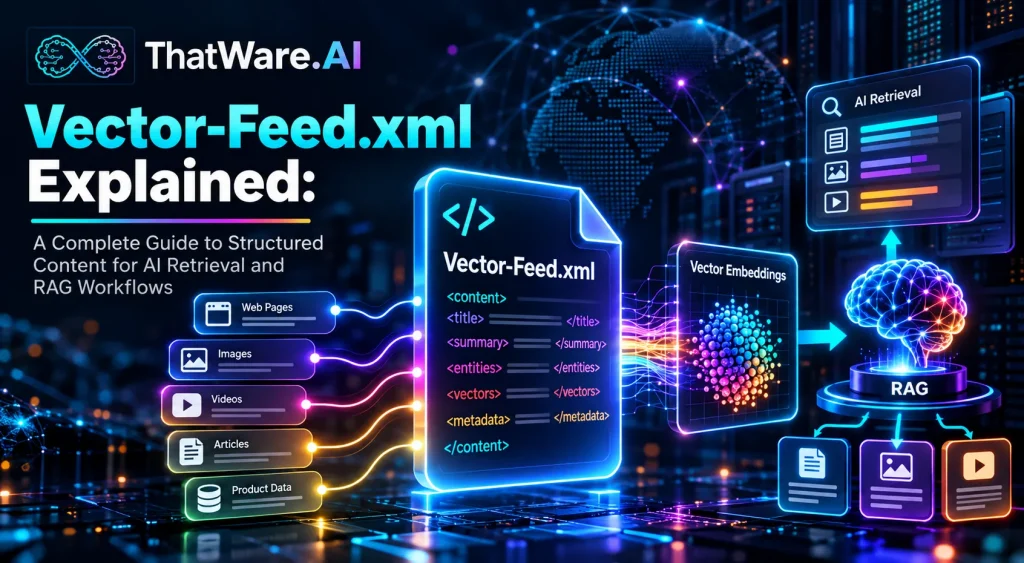
This is where vector-feed.xml can play a role. It is a structured content feed designed to organize website information and metadata for compatible ingestion, chunking, embedding, and retrieval workflows. Rather than replacing existing website infrastructure, it provides a potential preparation layer between published content and systems that process information for AI applications.
For SEO professionals, developers, content engineers, and enterprise teams, understanding this approach helps clarify how website content can become easier to process and maintain within retrieval pipelines.
This guide explains the purpose of vector-feed.xml, its possible structure, its relationship with Retrieval-Augmented Generation (RAG), and the practical steps involved in preparing and validating a feed. It also covers metadata, content freshness, implementation challenges, and ways to evaluate retrieval quality without assuming that external AI providers automatically consume the file.
Key Takeaways: What to Know About Vector-Feed.xml
- Structured content: Vector-feed.xml can organize website pages, sections, content segments, and metadata into a consistent format.
- AI preparation: A compatible pipeline can use the feed as an input for ingestion, chunking, embeddings, and retrieval.
- Source traceability: Stable identifiers and canonical source URLs help connect retrieved passages to their origins.
- Content freshness: Publication and modification dates can help downstream systems identify content that may need reprocessing.
- Compatibility matters: A feed requires a defined structure and a consumer that understands it. Publishing the file alone does not guarantee AI ingestion or improved search rankings.
What Is Vector-Feed.xml? Definition, Purpose, and Core Function
Vector-Feed.xml Definition in Plain English
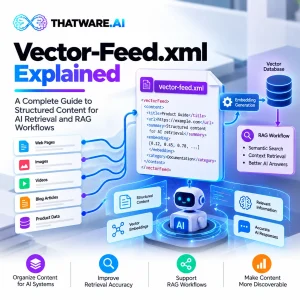
Vector-Feed.xml is an implementation-specific XML feed designed to organize website content and metadata for compatible AI ingestion and retrieval workflows. It can describe source pages, content segments, stable identifiers, topics, language, and modification dates. A downstream system may use these records to prepare content for chunking, vector embeddings, indexing, and Retrieval-Augmented Generation applications.
XML, or Extensible Markup Language, is a text-based format for representing structured information. Its elements and attributes help software interpret the organization of a document. The World Wide Web Consortium (W3C) defines the underlying XML syntax, but XML itself does not prescribe a universal format called vector-feed.xml.
Consequently, the filename alone does not define a standard schema. The implementation must specify its required elements, data types, validation rules, and expected behavior.
What Problem Does Vector-Feed.xml Solve?
Consider a large website containing thousands of articles and support documents. One page might have clear headings, while another contains long paragraphs, embedded tables, and inconsistent metadata. A retrieval pipeline must handle these differences before it can reliably search the content.
A structured feed can reduce the amount of custom extraction required by presenting content in a consistent, documented format. Instead of treating each page as an isolated document, the feed can identify individual sections and preserve their relationships to the original page.
For example, a support article about account access might contain separate sections covering login errors, password recovery, and account security. Representing those sections as distinct content segments can make them easier to process independently.
Is Vector-Feed.xml a Universal Standard?
No. The filename does not establish a universally accepted protocol or guarantee compatibility with a particular AI platform. A team implementing the feed must define its structure and confirm that the intended consumer can parse it.
The concept is best understood as a content-preparation and interoperability approach. Its usefulness depends on the quality of the feed, the capabilities of the receiving system, and the processing workflow built around it.
Why Structured Website Content Matters for AI Retrieval and RAG
The Challenges of Unstructured Website Content
Website content is generally written for people, not necessarily for downstream retrieval systems. Human readers can interpret headings, paragraphs, and contextual relationships naturally. Software may need explicit rules to identify meaningful sections and connect them to their sources.
Common challenges include:
- Inconsistent heading structures across pages.
- Repeated or outdated information.
- Missing content identifiers and source references.
- Long pages containing several unrelated topics.
- Incomplete metadata, such as language or modification dates.
- Content updates that are not reflected in downstream indexes.
These issues can increase extraction complexity and make it harder to maintain consistent records.
How Structured Content Improves Retrieval Preparation
Structured website content for AI provides a more predictable representation of information. A feed can identify a page, assign stable identifiers to its sections, classify the content, and attach relevant metadata.
This organization helps downstream systems determine what a content segment represents, where it originated, and whether it has changed. It can also reduce the need to build separate extraction logic for every content type.
The feed does not automatically make content accurate or relevant. Instead, it provides a consistent foundation on which retrieval processes can operate.
From Website Pages to Reusable Knowledge
Imagine an enterprise help centre with hundreds of articles. One article explains how to configure an application, while another describes troubleshooting steps.
A structured feed could represent each article as a parent record and its individual sections as child records. The child records retain their relationship with the original page while allowing a retrieval pipeline to process them separately.
This approach can support AI knowledge retrieval, enterprise search, and internal knowledge assistants. Organizations exploring structured content preparation, including teams working with ThatWare.AI, should evaluate the feed as one part of a broader content-processing workflow rather than a standalone AI solution.
How RAG Works and Where Vector-Feed.xml Fits Into the Pipeline
Retrieval-Augmented Generation, commonly called RAG, combines information retrieval with language generation. Instead of relying only on information stored in a model’s parameters, a RAG application retrieves relevant external content and supplies it to the model when answering a query.
The foundational research paper, Retrieval-Augmented Generation for Knowledge-Intensive NLP Tasks, describes architectures that combine generative models with an external retrieval mechanism.
A typical workflow contains several stages.
Step 1: Content Ingestion
Ingestion is the process of obtaining content and bringing it into a processing pipeline. A compatible consumer may parse vector-feed.xml and extract the records, source URLs, titles, and metadata.
The feed can provide a consistent input format, but a separate component must perform the actual ingestion.
Step 2: Document Chunking for RAG
Chunking divides documents into smaller segments that can be processed and retrieved individually. A segment might contain one section of a technical guide, a troubleshooting procedure, or an answer to a frequently asked question.
The objective is to preserve enough context for each segment to remain meaningful.
Step 3: Generating Vector Embeddings
A vector embedding is a numerical representation of content generated by an embedding model. Depending on the model and implementation, these representations can help systems identify content with similar meanings.
A feed does not inherently generate embeddings. It can supply clean text and metadata to a separate embedding service or model.
Step 4: Indexing and Semantic Retrieval
The generated embeddings may be stored in a vector index or database. When a user submits a query, the retrieval system can compare its representation with indexed content to identify relevant passages.
Many systems also combine semantic retrieval with keyword search, metadata filters, or reranking.
Step 5: Context Assembly and Answer Generation
The application selects relevant passages and supplies them to a language model as context. The model then uses the retrieved material to formulate a response.
Within this workflow, vector-feed.xml can serve as an upstream content-preparation layer. It may improve consistency and traceability, but it does not replace the embedding model, retrieval engine, index, or generation component.
Anatomy of a Vector-Feed.xml File: Elements, Metadata, and Content Segments
A useful feed needs a documented structure that the producing and consuming systems both understand. The following example illustrates one possible design. It is not a universal vector-feed.xml specification.
An Illustrative Vector-Feed.xml Example
<?xml version=”1.0″ encoding=”UTF-8″?>
<vector-feed version=”1.0″>
<item id=”guide-001″>
<title>Introduction to Knowledge Retrieval</title>
<source_url>
https://example.com/knowledge-retrieval/
</source_url>
<content_type>guide</content_type>
<language>en</language>
<topics>
<topic>AI knowledge retrieval</topic>
<topic>RAG</topic>
</topics>
<segment id=”guide-001-section-1″>
<title>What Is Knowledge Retrieval?</title>
<content>
An illustrative content segment for retrieval.
</content>
</segment>
<published_at>2026-01-10</published_at>
<modified_at>2026-06-15</modified_at>
</item>
</vector-feed>
The example demonstrates how a record might combine source information, descriptive metadata, and an individual content segment. The URL and dates are illustrative placeholders.
Stable Content Identifiers and Canonical Source URLs
The id attribute provides a stable identifier for the page record. The segment has its own identifier, allowing the pipeline to distinguish between the full document and a particular section.
Stable identifiers are important when content is updated. If an article changes, a downstream system can use its identifier to determine which record needs reprocessing rather than treating every version as an unrelated document.
The source_url field points to the canonical source page. A production implementation should define whether this field must contain the canonical URL, how redirects are handled, and how inaccessible pages are reported.
Page Titles, Section Titles, and Content Segments
The page title describes the overall document. The segment title describes a smaller unit within it. The content field contains the text that the downstream pipeline will process.
Preserving section titles alongside their content helps prevent a segment from losing its meaning when separated from the full page.
Content Types, Topics, Entities, and Language
The content_type field distinguishes records such as guides, FAQs, product documentation, and support articles. Topic tags describe the subjects covered, while entity tags could identify named products, services, or other relevant concepts.
Language metadata helps downstream systems apply appropriate language-specific processing. Teams should define controlled vocabularies and consistent language codes rather than allowing arbitrary values across records.
Publication Dates, Modification Dates, and Relationships
Publication and modification dates help identify when content was created or changed. Parent-child relationships can connect sections to their original page or group related records.
| Field | Purpose | Potential benefit |
| Stable ID | Identifies a record | Update tracking |
| Canonical URL | Identifies the source page | Source traceability |
| Title | Describes the content | Easier interpretation |
| Segment | Stores a content unit | More focused retrieval |
| Topic tags | Classifies subject matter | Filtering and organization |
| Language | Identifies content language | Appropriate processing |
| Modification date | Records the latest update | Freshness management |
A production feed should define required fields, XML escaping, character encoding, schema validation, and duplicate-handling rules. Teams should also establish how deleted pages are communicated to downstream systems.
Vector-Feed.xml vs. Sitemap.xml, RSS, JSON-LD, and llms.txt
These formats serve different purposes. They may complement each other, but they should not be treated as interchangeable.
| Format | Primary purpose | Typical role |
| vector-feed.xml | Organize content and metadata for a defined retrieval pipeline | AI ingestion preparation, where supported |
| sitemap.xml | List URLs available for search-engine discovery | Crawling and URL discovery |
| RSS | Syndicate content updates | Content distribution |
| JSON-LD | Represent structured data using a linked-data format | Describing entities and relationships |
| llms.txt | Propose a way to orient language models to website resources | AI-oriented documentation and navigation |
Vector-Feed.xml vs. Sitemap.xml
An XML sitemap primarily helps search engines discover URLs. The Sitemaps protocol defines its structure and explains how URL information is represented.
A vector-feed.xml implementation can go further by representing content segments, topics, and other metadata for a specific downstream retrieval pipeline. A sitemap does not generally provide the same content-segment model.
Neither format guarantees that a page will be indexed or that an AI system will ingest its contents.
Vector-Feed.xml vs. RSS Feeds
RSS is commonly used to distribute updates or newly published content to subscribers and feed readers. A retrieval-oriented feed may instead organize content records for processing by a compatible ingestion system.
RSS could help identify new content in some architectures, while a separate structured feed provides detailed content records.
Vector-Feed.xml vs. JSON-LD
JSON-LD is a format for expressing linked data. It is often used to describe structured entities and relationships on web pages.
A vector-feed.xml implementation focuses on the content representation required by its consuming pipeline. The two approaches can coexist, depending on the system’s requirements.
Vector-Feed.xml vs. llms.txt
The proposed llms.txt convention is intended to help language-model-oriented tools navigate website resources. It should not be confused with a universal ingestion protocol.
A structured content feed may provide more detailed records for a specifically configured retrieval workflow, but its actual value depends on whether a consumer supports the chosen format.
How to Implement Vector-Feed.xml: A Step-by-Step Guide
A successful implementation starts with the receiving system, not the filename. Before generating the feed, establish the format that the intended consumer can parse and the information it requires.
Step 1: Define the Receiving System and Feed Contract
Document the downstream system’s requirements. Specify the root element, record structure, required fields, identifier rules, date formats, and validation process.
Also determine whether the consumer expects full page content, section-level records, or both.
Step 2: Select and Identify Source Content
Choose the pages that belong in the feed. Depending on the use case, these may include documentation, help articles, internal knowledge resources, or FAQs.
Assign stable identifiers to records and define how those identifiers behave when URLs change.
Step 3: Normalize Content and Canonical URLs
Extract the relevant text and remove unnecessary navigation, repeated footers, and unrelated interface elements. Preserve headings, lists, and other structures that help explain the content.
Resolve canonical URLs and handle redirects consistently. Avoid including duplicate versions of the same document unless the consumer has a clear reason to retain them.
Step 4: Create Content Segments and Metadata
Organize each document into meaningful sections. Add titles, content types, topics, language, source references, and timestamps according to the feed contract.
Do not assume every field must be present in every implementation. Required and optional fields should be explicitly documented.
Step 5: Generate the XML Feed
Python’s built-in xml. etree. ElementTree etree.ElementTree library can create XML elements and handle text escaping. This example generates a simple record following the illustrative structure described earlier.
import xml.etreeElementTree as ET
root = ET.Element(“vector-feed”, version=”1.0″)
item = ET.SubElement(root, “item”, id=”guide-001″)
ET.SubElement(
item, “title”
).text = “Introduction to Knowledge Retrieval”
ET.SubElement(
item, “source_url”
).text = “https://example.com/knowledge-retrieval/”
ET.SubElement(item, “content_type”).text = “guide”
ET.SubElement(item, “language”).text = “en”
topics = ET.SubElement(item, “topics”)
ET.SubElement(topics, “topic”).text = “AI knowledge retrieval”
ET.SubElement(topics, “topic”).text = “RAG”
segment = ET.SubElement(
item, “segment”, id=”guide-001-section-1″
)
ET.SubElement(
segment, “title”
).text = “What Is Knowledge Retrieval?”
ET.SubElement(
segment, “content”
).text = “An illustrative content segment.”
ET.SubElement(item, “published_at”).text = “2026-01-10”
ET.SubElement(item, “modified_at”).text = “2026-06-15″
tree = ET.ElementTree(root)
ET.indent(tree, space=” “)
tree. write(
“vector-feed.xml”,
encoding=”utf-8″,
xml_declaration=True
)
This code demonstrates XML generation, not a complete production implementation. It must be adapted to the agreed schema, source data, and consumer requirements.
Step 6: Validate and Publish the Feed
Check that the file is well-formed XML, that required fields are present, and that record identifiers are unique. Verify source URLs and confirm that the dates use the expected format.
The W3C’s XML specification explains XML syntax and well-formedness requirements. A separate schema validator may be needed to verify implementation-specific rules.
A basic parsing check in Python is:
import xml.etreeElementTree as ET
tree = ET.parse(“vector-feed.xml”)
root = tree.getroot()
assert root.tag == “vector-feed”
ids = [
item.get(“id”)
for item in root.findall(“item”)
]
assert all(ids), “A record is missing its ID.”
assert len(ids) == len(set(ids)), “Duplicate record IDs found.”
print(“Basic XML and ID checks passed.”)
This check verifies parsing and record IDs. It does not validate every field, canonical URL, date, or business rule. Those checks should be added separately.
Step 7: Connect the Feed to the Retrieval Pipeline
Publishing a file does not automatically connect it to an AI system. Configure a compatible consumer to retrieve or receive the feed, parse its records, and pass the content into the appropriate processing stages.
Document ingestion logs, error handling, update detection, and deletion handling. Teams evaluating solutions from providers such as ThatWare.AI should verify the actual ingestion mechanism and supported formats before treating any feed as production-ready.
Best Practices for Chunking, Metadata, and Embedding-Ready Content
The usefulness of a structured feed depends on more than valid XML. Content must retain its meaning, metadata must remain consistent, and updates must be handled systematically.
Keep Content Chunks Coherent and Context-Rich
Document chunking for RAG should preserve logical meaning. A section describing a troubleshooting procedure should remain connected to the heading that explains the problem.
Avoid splitting a sentence, table, or multi-step procedure in a way that makes the resulting segment difficult to interpret. Chunk size should be selected according to the content, embedding model, retrieval design, and context limits of the downstream system.
Preserve Metadata Across Every Content Segment
Each segment should retain enough information to be understood independently. Useful fields may include a stable segment ID, parent document ID, title, canonical source URL, language, and topic tags.
For example, a segment containing a password-reset procedure should not lose the title of the support article from which it came. This context can help retrieval and improve source attribution.
Maintain Canonical Source URLs and Traceability
Canonical source URLs help connect retrieved passages to their original pages. Establish rules for redirects, duplicate URLs, and content moved to a new location.
Where section-level links are supported, preserve anchors or section identifiers. This makes it easier for downstream applications to show users where retrieved information originated.
Design for Content Updates and Freshness
Content freshness management requires a defined process for detecting changes and reprocessing affected records.
Track modification dates, compare versions or content hashes where appropriate, and decide how to handle deleted pages. A timestamp alone does not update a vector index; the downstream system must act on the change.
Implementation checklist:
- Use stable, unique record and segment identifiers.
- Preserve meaningful headings and content boundaries.
- Include the source URL and relevant metadata.
- Validate XML and required fields before publication.
- Define update, deletion, and reprocessing procedures.
Real-World Use Cases and Example Workflows for Vector-Feed.xml
The following examples illustrate possible applications. They are not claims that every retrieval platform supports vector-feed.xml natively.
Enterprise Search Across Large Content Repositories
An organization may maintain policies, technical documents, product manuals, and internal guidance across many repositories. A structured feed could normalize selected content into a consistent record format.
A compatible pipeline could then process those records, create embeddings, and index the resulting content for enterprise search. Stable identifiers and source URLs would help users trace retrieved passages to the original documents.
Internal Copilots and Knowledge Assistants
An internal assistant might need to answer questions using approved company documentation. A feed could organize relevant content by document type, department, language, or topic.
Access controls remain essential. Sensitive documents must not become available to users simply because they have been included in a feed. Permissions should be enforced throughout ingestion, indexing, retrieval, and answer generation.
RAG Applications for Documentation and Support
A support assistant may retrieve information from troubleshooting guides, product documentation, and frequently asked questions.
Representing articles as coherent sections can help the retrieval pipeline locate the passage most relevant to a customer’s question. The application can then provide an answer with a link to the source article.
In each use case, the feed prepares content; the surrounding system determines how it is processed, retrieved, and presented.
Common Vector-Feed.xml Mistakes and How to Troubleshoot Them
A feed can be syntactically valid yet still be unsuitable for a retrieval workflow. Common issues include inconsistent identifiers, incomplete metadata, poorly structured content, and assumptions about external platform support.
| Symptom | Possible cause | Recommended check |
| Feed cannot be parsed | Malformed XML or incorrect encoding | Validate XML syntax and encoding |
| Retrieved passage lacks context | Poor chunk boundaries or missing headings | Review segment structure |
| Source cannot be traced | Missing or incorrect source URL | Verify canonical references |
| Updated content is missing | Incomplete reprocessing | Review modification tracking and logs |
| Records are duplicated | Unstable IDs or repeated source content | Check identifier and deduplication rules |
Invalid XML and Inconsistent Field Names
Ensure that elements are properly nested and closed. Special characters in text must be escaped where necessary, and field names should follow the agreed schema.
Duplicate Identifiers and Broken Source URLs
Duplicate IDs can cause records to overwrite one another or become difficult to track. Test identifier uniqueness and verify that source URLs resolve to the intended content.
Missing Metadata or Poorly Segmented Content
Missing titles, language values, or parent identifiers can reduce the usefulness of individual records. Inspect representative segments and verify that each contains enough context to be interpreted correctly.
Stale Records and Untracked Changes
Establish monitoring for failed updates, rejected records, and indexing errors. A feed should be part of a maintained pipeline, not a file that is generated once and then ignored.
Finally, do not assume that placing the file at a public URL makes it discoverable or usable by external AI providers. Confirm the actual consumer and its supported ingestion method.
How to Measure Vector-Feed.xml Impact on AI Knowledge Retrieval
Evaluate the feed as one component of the full retrieval pipeline. Separate feed quality from ingestion performance, retrieval quality, and the quality of generated answers.
Feed Validation and Ingestion Success
Track the number of records generated, records accepted, parse errors, validation failures, and processing time. A high acceptance rate can indicate that the feed meets technical requirements, but it does not prove that the resulting retrieval is accurate.
Retrieval Quality and Source Traceability
Create a test set of representative queries with known relevant documents. Measure whether the retrieval system returns those documents and whether the selected passages contain the required information.
Useful metrics include precision at a chosen cutoff, recall at a chosen cutoff, and mean reciprocal rank. Choose metrics that match the application and evaluate them consistently.
Also check whether each retrieved passage links to the correct source page and section.
Content Freshness and Reprocessing
Update a test document and measure whether the change is detected, ingested, indexed, and retrieved. Test deleted pages as well as modified ones.
This reveals whether the pipeline handles the complete content lifecycle rather than simply processing an initial feed.
AI Answer Citations and Business Outcomes
Where the application exposes source attribution, evaluate whether generated answers cite the correct documents. Citation rate can be useful, but it should be considered alongside citation correctness, answer relevance, and factual accuracy.
Establish a baseline before making changes. Compare results using the same queries, datasets, retrieval settings, and evaluation process. Avoid attributing an improvement to vector-feed.xml alone if the embedding model, index, chunking strategy, or prompt also changed.
How ThatWare.AI Helps Businesses Prepare for AI-Powered Content Retrieval
ThatWare.AI helps businesses explore AI-driven strategies for organizing website content and improving how information is processed for modern search and retrieval workflows. As organizations adopt Retrieval-Augmented Generation (RAG), structured content, consistent metadata, and reliable source references become increasingly important. A well-planned approach can help prepare enterprise knowledge for more efficient discovery and retrieval.
ThatWare.AI can support businesses by focusing on:
- AI and SEO strategy: Aligning content organization with evolving search and AI discovery needs.
- Structured content planning: Identifying opportunities to improve content consistency, metadata, and source traceability.
- Retrieval workflow optimization: Evaluating how content preparation, chunking, and indexing contribute to relevant information retrieval.
- Technical assessment: Helping teams identify potential gaps in content structure and AI readiness.
For organizations considering vector-feed.xml, the first step is understanding their content ecosystem and downstream system requirements. Explore ThatWare.AI to discuss an approach suited to your business goals, technical environment, and AI knowledge retrieval objectives.
Conclusion: Preparing Better Content for AI Retrieval With Vector-Feed.xml
Vector-feed.xml offers a way to organize website content and metadata for compatible AI ingestion and retrieval workflows. By representing pages, sections, identifiers, canonical source URLs, and modification dates consistently, a well-designed feed can reduce extraction complexity and support source traceability and freshness management.
Its value, however, depends on the implementation. Teams must define a clear schema, preserve meaningful content segments, validate records, and connect the feed to a compatible downstream pipeline. Chunking, embeddings, indexing, and answer generation still require their own components and evaluation procedures.
For organizations exploring structured website content for AI, the practical starting point is to review existing content, identify the intended retrieval use case, and document the receiving system’s requirements. ThatWare.AI can be considered in the context of relevant AI-focused services, provided the specific capabilities are verified.
Ready to assess your content structure? Start with a small set of representative pages, define a feed contract, validate the output, and test whether the resulting pipeline retrieves the right information with accurate source references. Expand only after the workflow demonstrates reliable results.
FAQs
1. What is vector-feed.xml, and why is it important for AI retrieval?
Vector-feed.xml is an implementation-specific XML feed that organizes website content and metadata for compatible AI ingestion and retrieval workflows. It can help streamline content processing, preserve source references, and support Retrieval-Augmented Generation (RAG) systems.
2. How does vector-feed.xml improve Retrieval-Augmented Generation (RAG)?
Vector-feed.xml can provide structured content, meaningful segments, and metadata to a compatible RAG pipeline. This helps downstream systems process documents consistently, generate vector embeddings, and retrieve relevant information with source traceability.
3. What features should a vector-feed.xml file include?
A well-designed feed may include stable content IDs, canonical source URLs, page and section titles, content segments, topic tags, language, publication dates, modification dates, and parent-child relationships.
4. Can vector-feed.xml integrate with vector databases and AI platforms?
Yes, if the receiving pipeline supports its schema or includes a suitable parser. The feed can supply content to embedding models, vector databases, and RAG applications, but integrations require configuration and are not automatically available on every platform.
5. Is vector-feed.xml free to implement, and what does onboarding involve?
The XML format itself can be created using standard development tools, but implementation costs depend on content volume, automation, validation, and integration requirements. Onboarding typically involves defining a schema, preparing content, testing ingestion, and monitoring results.
6. How can businesses get started with vector-feed.xml?
Start by identifying the intended AI retrieval use case and confirming the receiving system’s requirements. Select representative pages, define the feed schema, generate and validate XML, then test ingestion, retrieval relevance, and source attribution before expanding.
7. Is vector-feed.xml secure for enterprise content and sensitive data?
Security depends on implementation. Use access controls, secure data transfer, appropriate permissions, and sensitive-data filtering. Ensure downstream indexes and retrieval systems enforce document-level authorization so restricted content is not exposed to unauthorized users.
8. Does vector-feed.xml guarantee that Google or ChatGPT will ingest website content?
No. Vector-feed.xml is not a universal standard, and publishing it does not guarantee ingestion, indexing, visibility, or rankings. Each platform has its own supported discovery and content-processing mechanisms.
9. How is vector-feed.xml different from sitemap.xml, RSS, and llms.txt?
A sitemap helps search engines discover URLs, RSS distributes content updates, and llms.txt proposes guidance for navigating website resources. Vector-feed.xml can organize detailed content segments and metadata for a specifically configured retrieval pipeline.
10. What makes vector-feed.xml useful for enterprise RAG systems?
Its potential advantage is consistent content organization, stable identifiers, source traceability, and update management. Unlike a simple URL list, a retrieval-oriented feed can represent individual content segments, provided the receiving system supports the defined structure.
RAG Summaries
1. Vector-Feed.xml: A Foundation for AI-Ready Content
Vector-feed.xml is an implementation-specific XML feed that organizes website content and metadata for compatible AI retrieval workflows. It can structure articles, documentation, FAQs, and knowledge-base pages into identifiable records, helping downstream systems process information consistently. It is a content-preparation layer, not a universal standard or an automatic gateway to AI platforms.
2. Structured Content for Smarter AI Retrieval
Websites often contain inconsistent headings, duplicated information, lengthy pages, and incomplete metadata. Structured website content for AI provides a more predictable format for processing these resources. By organizing information into meaningful sections, teams can simplify extraction, preserve context, and prepare content for enterprise search and AI knowledge retrieval.
3. RAG Workflows: From Content to Answers
Retrieval-Augmented Generation (RAG) combines information retrieval with language generation. A typical workflow ingests content, divides documents into chunks, generates vector embeddings, indexes the representations, retrieves relevant passages, and supplies them to a language model. Vector-feed.xml can support the preparation stage but does not replace these components.
4. Essential XML Elements and Metadata
A practical feed may include stable identifiers, canonical source URLs, page titles, section titles, content segments, content types, topic tags, language, and publication or modification dates. These fields help downstream systems organize records, preserve document relationships, trace retrieved passages, and identify content requiring updates.
5. Feed Formats and Their Distinct Roles
Vector-feed.xml, XML sitemaps, RSS, JSON-LD, and llms.txt serve different purposes. Sitemaps support URL discovery, RSS distributes updates, JSON-LD represents structured linked data, and llms.txt proposes website navigation for language-model tools. A retrieval-oriented feed may provide detailed content records for a specifically configured pipeline.
6. Implementation Through Validation and Integration
Successful implementation begins with defining the receiving system’s requirements. Teams select source pages, normalize content, establish identifiers, add metadata, generate XML, validate the output, and connect it to a compatible consumer. Publishing a feed alone does not guarantee ingestion by external AI providers.
7. Better Chunking and Embedding Preparation
Effective document chunking for RAG preserves logical meaning, headings, and relevant context. Each segment should retain essential metadata, including its parent document, source URL, title, and language. Coherent segments help retrieval systems identify useful passages without losing the context needed for accurate interpretation.
8. Freshness, Traceability, and Reliable Updates
Content freshness management requires more than modification timestamps. Pipelines should detect changed records, reprocess updated content, handle deleted pages, and monitor indexing errors. Stable identifiers and canonical source URLs support traceability, helping applications connect retrieved information to the correct published source.
9. Enterprise Applications and Quality Measurement
Enterprise RAG systems can use structured feeds to prepare documentation, internal policies, support articles, and knowledge-base resources. Teams should measure ingestion success, retrieval precision, recall, ranking performance, source accuracy, and update handling. Consistent evaluation helps identify weaknesses across the complete retrieval pipeline.
10. Practical Limits and Responsible Adoption
Vector-feed.xml is best treated as a structured interoperability approach whose usefulness depends on schema quality and consumer compatibility. It does not guarantee better rankings, universal AI ingestion, or accurate answers. Organizations should begin with representative content, validate a documented feed contract, and expand only after retrieval tests demonstrate reliable results.

admin
AI and generative search strategist at ThatWare AI.