
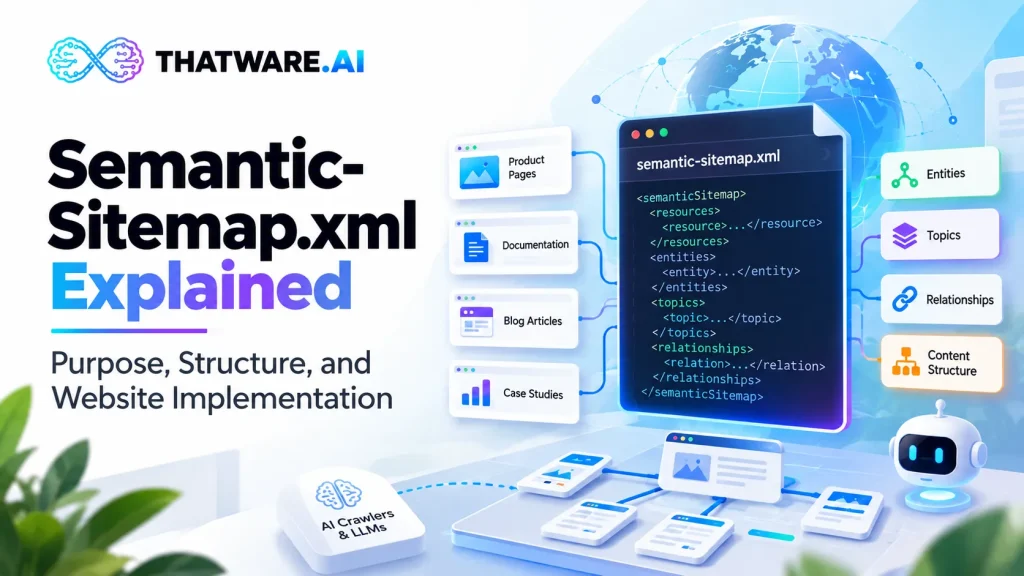
A website can contain thousands of useful pages and still make it difficult for machines to understand how its information fits together. Product pages may reference technical documentation, blog posts may explain individual features, case studies may demonstrate business outcomes, and company pages may establish organizational expertise. Although these resources exist on the same website, their relationships are not always explicitly represented in a single machine-readable structure.
Traditional website architecture addresses this challenge through navigation menus, internal links, category hierarchies, metadata, structured data, and XML sitemaps. These mechanisms remain essential. However, they serve different purposes, and a conventional list of URLs does not necessarily express the complete semantic relationships among the concepts, entities, topics, and resources described by those URLs.
This distinction becomes important when websites are used as information sources for search engines, enterprise search systems, retrieval-augmented generation (RAG) applications, knowledge management platforms, and AI-powered assistants. Such systems may need to locate a relevant page, identify the subject it describes, determine how it relates to other information, and distinguish authoritative material from outdated or tangential content.
A semantic sitemap is a proposed approach to organizing website resources around meaning and relationships rather than URLs alone.
Within ThatWare AI Stack, semantic-sitemap.xml is positioned as an asset for representing the semantic organization of website content. Its intended role is to complement the conventional sitemap by providing a structured way to describe content groupings, entities, topics, and relationships, according to the schema implemented by the platform.
An important technical distinction must be established at the outset: semantic-sitemap.xml is not a universally adopted web standard with a single, established schema. The conventional XML sitemap protocol is documented and widely supported, but a semantic sitemap using this filename requires its own documented structure and a compatible consumer. Its practical value depends on the quality of the data, the validity of its relationships, and whether downstream systems can interpret and use the information.
A semantic sitemap should therefore not be treated as a replacement for sitemap.xml, a guaranteed AI visibility mechanism, or a substitute for structured data and internal linking. It is better understood as a potential additional layer in a broader website information architecture.
This guide explains the concept, its relationship to conventional XML sitemaps, the principles behind semantic modeling, an illustrative XML structure, implementation methods, validation requirements, enterprise applications, and the limitations website owners should understand before deployment.
What Is a Semantic Sitemap?
A semantic sitemap is a structured representation of website resources that aims to describe not only which pages exist, but also how their subjects, entities, concepts, and relationships fit together.
A conventional sitemap primarily identifies URLs and may provide supported metadata about them. A semantic sitemap, as a proposed extension to a website’s information architecture, can go further by representing the meaning associated with those resources.
For example, consider a B2B software company’s website containing the following pages:
- A product overview for its shipping platform.
- Documentation describing shipping workflows.
- A blog explaining shipping automation.
- A case study showing how a customer improved fulfillment operations.
- An integration page describing compatibility with an ERP system.
- A company page establishing the organization responsible for the product.
A conventional sitemap can list all six URLs. A semantic representation could additionally identify the pages as resources about a shared product, classify them by content type, and express relationships such as:
- The documentation explains the product’s capabilities.
- The blog discusses a related operational problem.
- The case study provides evidence of a customer implementation.
- The integration page describes a relationship between the product and an external system.
- The company page identifies the organization responsible for the product.
These relationships can make the website’s information architecture more explicit for systems that are designed to consume the semantic data.
The key distinction is that a URL identifies a resource, while a semantic relationship describes how that resource connects to another resource or concept.
However, a semantic sitemap should not be assumed to provide this capability merely because the file is named semantic-sitemap.xml. The schema must define the available relationship types, the meaning of each field, and the method by which consuming systems interpret the information.
A semantic sitemap is not simply an XML sitemap with extra labels
Adding a category or keyword to every URL can improve organization, but it does not automatically create a meaningful semantic model.
For example, tagging five pages with the word “shipping” establishes a shared label. It does not explain whether one page documents the product, another describes a customer implementation, and another defines a technical integration.
A useful semantic representation distinguishes among different types of relationships and connects them to identifiable resources.
A proposed implementation might distinguish relationships such as:
- describes: a page describes an entity or concept.
- explains: a document explains a process or capability.
- supports: a resource provides evidence for a claim.
- implements: a technical document describes an implementation of a capability.
- relatedTo: two resources share a relevant subject.
- authoredBy: a resource is associated with an author or organization.
These labels are illustrative, not standard relationship names required by an established semantic sitemap protocol. A production schema must define the permitted relationship vocabulary and its intended interpretation.
Why the concept matters
The value of semantic organization is not that it makes every page automatically understandable to every AI model. Instead, it provides an explicit representation of information that might otherwise need to be inferred from page text, link structures, or separate metadata sources.
For a website with many related resources, this can support more consistent content organization, knowledge extraction, and retrieval workflows when the consuming system is built to use the representation.
The quality of the underlying model matters more than the number of relationships it contains. Incorrect relationships can make information harder to interpret, while accurate relationships can help downstream applications organize information more reliably.
How a Semantic Sitemap Differs From a Conventional XML Sitemap
Understanding the difference between a conventional XML sitemap and a semantic sitemap is essential before implementing either one.
The established XML sitemap protocol provides a standardized way to list URLs and include supported metadata. Google explains that sitemaps help search engines discover website resources and may provide information such as last-modified dates and alternate language versions. It also explicitly states that sitemap inclusion does not guarantee crawling or indexing.
A semantic sitemap, in the sense used within the ThatWare AI Stack, is intended to describe the semantic organization of website content. Its exact capabilities depend on the implementation’s schema.
| Dimension | Conventional sitemap.xml | Proposed semantic-sitemap.xml |
| Primary purpose | Identify URLs available for discovery | Represent the semantic organization of website resources |
| Core information | URLs and supported sitemap metadata | URLs plus schema-defined entities, concepts, classifications, and relationships |
| Format | Established XML sitemap protocol | Implementation-specific XML schema unless another standard is explicitly adopted |
| Content relationships | Primarily represented indirectly through URLs and website structure | Can represent explicit relationships if the schema defines them |
| Search engine compatibility | Widely supported by major search engines | Must be verified for each intended consumer |
| Validation | Established sitemap rules and supported extensions | Custom schema and relationship validation may be required |
| Indexing guarantees | None | None |
| Potential applications | URL discovery and supported search-related metadata | Custom knowledge organization, semantic analysis, and compatible retrieval workflows |
The difference is therefore not that a semantic sitemap is automatically superior. The two resources serve different purposes.
URL discovery versus semantic organization
A conventional sitemap helps a crawler discover URLs that a website owner considers important. It can be particularly useful for large websites, recently published pages, and resources that are difficult to discover through internal links.
A semantic sitemap can be designed to express how those resources relate to specific topics, products, organizations, authors, or other entities.
For example, a conventional sitemap may include:
https://example.com/products/shipping-platform/
A semantic representation might additionally identify that URL as the canonical product overview for a named software product, connect it to documentation describing the product, and reference case studies associated with its implementation.
These additions are useful only if the consuming application understands the relationship definitions. They should not be presented as capabilities automatically supported by standard search engine crawlers.
Conventional sitemap metadata versus semantic relationships
The XML sitemap protocol includes fields such as loc and lastmod, with other supported extensions available for particular content types. The standard defines the meaning of those fields and establishes constraints on sitemap structure.
A semantic sitemap may include additional fields for entity identifiers, topic classifications, relationship types, and source references. Because these fields are not part of the conventional sitemap protocol by default, they require a documented schema.
The distinction is important for implementation. Adding custom XML elements to a conventional sitemap does not guarantee that Google or another search engine will recognize them.
If a semantic sitemap is intended for an internal RAG pipeline, an enterprise search platform, or a custom knowledge application, the schema should be designed around that consumer’s requirements.
Why both files may be useful
A website may need a conventional sitemap for established search engine discovery and a semantic representation for a separate knowledge-processing workflow.
For example, the conventional sitemap can list the site’s canonical pages, while a semantic data layer can identify relationships between product documentation, technical concepts, support articles, and authoritative evidence.
These resources can share source data, but they should not be assumed to be interchangeable.
The conventional sitemap remains necessary where the site’s discovery strategy requires it. A semantic sitemap adds value only when its additional information has a defined purpose and a compatible consumer.
Why Semantic Relationships Matter for AI-Ready Websites
AI readiness involves more than publishing files. A website must contain accessible, accurate, and useful information, and the systems processing that information must be able to interpret it correctly.
Semantic organization addresses one specific challenge: the difference between storing information and representing how that information relates to other information.
Websites distribute knowledge across multiple URLs
A company’s website may explain its expertise across dozens of pages. One page describes a product, another explains its architecture, a third documents its integrations, and a fourth provides evidence from a customer implementation.
A human visitor can navigate these resources using menus and contextual links. A machine-processing workflow may also use those links, but the relationships can remain implicit unless the system extracts and models them.
A semantic sitemap can provide an explicit inventory of those relationships if it is generated from reliable source data.
This is particularly relevant when a website contains large documentation libraries, complex product catalogs, research archives, or multiple interconnected content types.
Entity identity needs consistency
An entity is a distinguishable thing represented in information: for example, a company, product, person, organization, technical concept, or location.
The same entity may be described using several names. A product might appear under its full commercial name in a product page, a shortened name in documentation, and an abbreviation in a blog post.
If these names refer to the same underlying entity, a semantic model can represent that relationship through a stable identifier and an explicit alias policy.
However, entity matching must be handled carefully. Similar names do not necessarily indicate identical entities, and two products from the same company should not be merged simply because they share a brand.
A semantic sitemap should therefore rely on clear identifiers and reviewed mappings rather than broad keyword matching alone.
Topic relationships can improve information organization
Topics are broader subjects that connect resources without necessarily identifying a single entity.
For example, a software company’s pages may cover shipping automation, warehouse operations, ERP integrations, carrier management, and delivery tracking.
A semantic model can group pages around these subjects and represent relationships between the topics where the relationships are meaningful.
This can support content auditing, knowledge organization, and retrieval systems that use the resulting model. It does not mean that an external AI model will automatically understand the topics simply because they appear in an XML file.
Source authority and evidence need explicit treatment
Not every page on a website has the same role.
A technical specification, an official policy, a product landing page, and an opinion article may discuss the same subject but provide different types of information.
A semantic model can distinguish these content roles and, where appropriate, identify which resource is authoritative for a particular claim or topic.
This distinction is especially important in enterprise search, where users may need to differentiate approved documentation from outdated articles or informal commentary.
Authority should not be assigned through arbitrary scores alone. The model should explain what a classification means, who owns it, and which evidence supports it.
Semantic relationships can support retrieval workflows
Retrieval-augmented generation combines retrieved information with a language model’s generation process. In a RAG application, a retrieval layer selects relevant source material, which is then provided to the model as context.
A semantic representation can serve as an additional data source for a custom retrieval pipeline. For example, it may help an application identify that a query about a product integration should retrieve the product documentation, integration guide, and relevant implementation evidence.
This is a possible application, not a guaranteed outcome of publishing semantic-sitemap.xml.
A RAG system must explicitly ingest the file, understand its schema, resolve the referenced resources, and incorporate the relationship data into its retrieval strategy. If the pipeline does not consume the file, the file itself has no direct effect on that pipeline.
The Core Components of a Semantic Sitemap
A semantic sitemap should be designed around a clear information model. Its structure should explain what resources exist, what they represent, and how their relationships are defined.
Because semantic-sitemap.xml does not have a universal schema, the following components are recommended design considerations rather than mandatory fields of an established protocol.
Resource identifiers
Every resource should have a stable identifier.
For website pages, the canonical URL is often an appropriate identifier. For entities such as products, organizations, or technical concepts, a stable entity ID may be more suitable.
Separating page identity from entity identity is important. A product may be described on several pages, and each page remains a distinct resource even though all refer to the same product.
A model that treats each URL as a separate entity can duplicate knowledge. Conversely, a model that merges every URL mentioning a product into one record can lose important distinctions between documentation, marketing, support, and evidence.
Resource types
A resource type identifies the role of a resource.
Examples include:
- Product overview.
- Technical documentation.
- Blog article.
- Case study.
- Research report.
- Policy document.
- Organization profile.
- Integration guide.
A controlled vocabulary should define which types are permitted and what each one means.
The classification should reflect the actual content. A blog post discussing a product should not automatically be classified as official technical documentation merely because it contains technical terminology.
Entity references
Entity references identify the people, organizations, products, concepts, or other entities associated with a page.
A page may refer to several entities, and a single entity may be referenced by many pages.
For example, an integration guide could be associated with a software product, an ERP platform, an integration method, and the organization responsible for maintaining the documentation.
The model should distinguish these entities and identify their roles rather than storing them as an unstructured keyword list.
Topic classifications
Topic classifications organize content around subjects.
A technical article may belong to a broader topic such as enterprise search and a narrower topic such as document retrieval. A product page may relate to several topics because it describes multiple capabilities.
Topic hierarchies should be defined deliberately. Excessive nesting can create an unnecessarily complicated taxonomy, while overly broad categories provide little value.
The aim is to create a useful and maintainable model that reflects how the organization understands its information.
Relationship definitions
Relationships describe how two resources or entities are connected.
Examples might include:
- A product page describes a product.
- A guide explains a workflow.
- A case study provides evidence about an implementation.
- A policy governs a process.
- An article expands on a technical concept.
- A documentation page supersedes an earlier document.
These examples illustrate possible relationship types. A production schema should define the accepted relationship vocabulary and clarify whether relationships are directional.
For instance, if a guide explains a product, the model should not automatically infer that the product explains the guide. Direction matters because the two statements express different meanings.
Provenance and timestamps
Provenance records where information came from and how it was generated.
A semantic model may need to distinguish between a relationship extracted automatically from page text, a relationship imported from a content management system, and a relationship explicitly reviewed by a subject-matter expert.
Timestamps can help track when the source was updated or when the semantic record was generated.
These values should not be conflated. The date a semantic sitemap was generated is not necessarily the date a source page was last modified.
Confidence and review status
Some relationships can be established with high confidence from structured source data. Others may be inferred from text and require human review.
Where a schema supports confidence or review status, the model should define what these values mean and how they are assigned.
For example, a product-to-documentation relationship imported from an official CMS record may be treated differently from a relationship inferred by an automated extraction process.
A confidence score is useful only if its calculation and interpretation are documented. An arbitrary score does not make a relationship more accurate.
Source and canonical URL management
The semantic model should identify the appropriate URL for each source resource.
Redirected URLs, duplicate pages, query parameters, localized versions, and outdated documentation can introduce ambiguity.
A canonical URL should represent the intended primary resource when the website’s canonicalization strategy defines one. Alternate language versions and regional pages should be represented according to their actual relationships rather than merged indiscriminately.
This reduces the chance that downstream systems will rely on obsolete or duplicated source material.
An Illustrative Semantic Sitemap XML Structure
The following example demonstrates one possible way to represent website resources, entities, and relationships in XML.
This is an illustrative, custom schema—not an official semantic-sitemap.xml standard and not a claim about the exact schema currently implemented by ThatWare AI Stack. Its element names and structure would need to be documented, versioned, and validated before production use.
Consider a software company with a product overview, technical documentation, and a customer case study.
<?xml version=”1.0″ encoding=”UTF-8″?>
<semanticSitemap xmlns=”https://example.com/schemas/semantic-sitemap/1.0″ version=”1.0″>
<resources>
<resource id=”page-product-overview” type=”ProductPage”>
<url>https://www.example.com/products/platform/</url>
<title>Platform Overview</title>
<lastModified>2026-10-10</lastModified>
<describes>
<entityRef>product-platform</entityRef>
</describes>
<topics>
<topicRef>enterprise-software</topicRef>
<topicRef>workflow-automation</topicRef>
</topics>
</resource>
<resource id=”page-technical-documentation”
type=”TechnicalDocumentation”>
<url>https://www.example.com/docs/platform/</url>
<title>Platform Technical Documentation</title>
<lastModified>2026-10-12</lastModified>
<explains>
<entityRef>product-platform</entityRef>
</explains>
<topics>
<topicRef>workflow-automation</topicRef>
</topics>
</resource>
<resource id=”page-customer-case-study”
type=”CaseStudy”>
<url>https://www.example.com/case-studies/customer-a/</url>
<title>Customer Implementation Case Study</title>
<lastModified>2026-10-08</lastModified>
<evidenceFor>
<entityRef>product-platform</entityRef>
</evidenceFor>
<topics>
<topicRef>workflow-automation</topicRef>
</topics>
</resource>
</resources>
<entities>
<entity id=”product-platform”
type=”SoftwareProduct”>
<name>Example Platform</name>
<canonicalURL>https://www.example.com/products/platform/</canonicalURL>
</entity>
</entities>
<topics>
<topic id=”enterprise-software”>
<label>Enterprise Software</label>
</topic>
<topic id=”workflow-automation”>
<label>Workflow Automation</label>
<broaderTopic>enterprise-software</broaderTopic>
</topic>
</topics>
</semanticSitemap>
The example illustrates a few useful design principles.
First, resources and entities are represented separately. The product is an entity, while its overview, documentation, and case study are separate resources.
Second, relationships use explicit references. The documentation explains the product, and the case study provides evidence related to it. The relationships are not represented only by repeating the product’s name across several pages.
Third, topics provide an additional organizational layer. Multiple resources can share a topic, and a topic can relate to a broader subject.
Fourth, the model uses identifiers to connect records. A consuming application can resolve the references rather than relying entirely on text matching.
However, several important production details are omitted from this simplified example. A real implementation needs a formal XML Schema Definition (XSD) or equivalent validation mechanism, a namespace policy, identifier rules, relationship constraints, error handling, and a versioning strategy.
The example also uses custom element names. A consumer that understands conventional XML sitemaps will not automatically understand these elements.
Should the semantic sitemap use the standard sitemap namespace?
That depends on the implementation.
A conventional XML sitemap uses the namespace defined by the sitemap protocol. A custom semantic sitemap may use its own namespace to distinguish its structure from the established protocol.
Simply adding custom elements to the standard sitemap namespace does not make them universally supported. The schema and intended consumer must be explicit.
For a platform such as ThatWare AI Stack, the correct approach is to publish documentation defining the actual schema rather than relying on the filename or namespace alone to communicate its purpose.
How to Design a Useful Semantic Data Model
Generating XML is relatively straightforward. Designing an accurate semantic model is more demanding because the model must represent real relationships without inventing them.
Step 1: Identify the core entities
Begin by identifying the entities that matter to the website.
For a B2B technology company, these might include the organization, products, services, integrations, authors, technical concepts, and customer implementations.
For an ecommerce site, the important entities may include products, brands, categories, manufacturers, and product attributes.
For a publisher, they may include authors, publications, topics, events, and research subjects.
Do not attempt to model every noun appearing on every page. Start with entities that have a clear role in the site’s information architecture.
Step 2: Define stable identifiers
Each entity should have a stable identifier that does not change merely because its display name changes.
For example, a product may be renamed while retaining its underlying identity. If the model uses only the product name as its identifier, the rename may create a duplicate entity or break existing relationships.
Stable identifiers also help connect information across several pages and systems.
Step 3: Define the relationship vocabulary
Choose the relationship types the model will support.
A small, clearly defined vocabulary is usually easier to maintain than dozens of overlapping relationship labels.
For each relationship, document:
- Its meaning.
- Its source and target types.
- Whether it is directional.
- Whether it is imported, manually assigned, or inferred.
- Whether it requires validation or approval.
- What happens when its source or target is removed.
For example, a describes relationship may connect a product page to a product entity, while a supersedes relationship may connect a newer document to an older document.
These relationships express different semantics and should not be merged into a generic category such as “related.”
Step 4: Map content to entities and topics
The next step is to associate pages with the relevant entities and topics.
Some mappings can come directly from structured data in the CMS. Others may be inferred from page content, metadata, internal links, or existing taxonomies.
Automated extraction can help identify candidate relationships, but it should not be treated as definitive. A page mentioning two products does not necessarily establish that the products are integrated or interchangeable.
High-impact relationships should have stronger evidence and, where appropriate, human review.
Step 5: Define source authority
Different resources may provide conflicting information.
For example, an old blog post might describe a product capability that has since changed, while the current documentation provides the updated specification.
The model should distinguish between the resource’s topic and its authority for a particular claim.
Possible approaches include source roles, publication status, document ownership, effective dates, and explicit supersession relationships.
Avoid assigning authority based only on a page’s URL depth or the number of times a keyword appears.
Step 6: Establish update rules
Semantic records can become inaccurate when the website changes.
If a product is retired, the model may need to update its status and relationships. If documentation moves, source references may need to be replaced. If a new product version supersedes an old one, the model may need to preserve the historical relationship without treating the older documentation as current.
Update rules should be part of the data model rather than handled through occasional manual cleanup.
How to Implement semantic-sitemap.xml on a Website
A practical implementation involves more than creating an XML file and uploading it. The process should begin with source data, establish a semantic model, generate the output, validate it, and make it available to the intended consumer.
Step 1: Audit the existing website
Start by identifying the website’s canonical pages, content types, major topics, important entities, and existing metadata.
Review the conventional sitemap, internal linking, canonical tags, structured data, CMS records, and content taxonomies.
The audit should identify problems such as:
- Duplicate URLs.
- Orphaned pages.
- Outdated documentation.
- Conflicting product names.
- Inconsistent category labels.
- Broken internal links.
- Content without a clear owner.
- Several pages covering the same subject without a defined relationship.
A semantic sitemap should not reproduce these inconsistencies without review. The audit is an opportunity to identify which information can be trusted and which needs correction.
Step 2: Define the intended consumer
Before choosing a schema, identify who or what will use the semantic sitemap.
Possible consumers include a custom RAG application, an enterprise search platform, a content governance system, an internal knowledge graph, or a website analysis platform.
Each consumer may require different fields.
A retrieval application may need stable source IDs and relationships between resources and entities. A governance system may need ownership, review status, and modification history. A content auditing tool may focus on topic coverage, duplicate resources, and missing relationships.
If there is no defined consumer, avoid building an elaborate semantic schema merely because it appears technically sophisticated.
Step 3: Establish the schema
Define the XML structure, allowed fields, identifiers, relationship types, namespaces, and validation rules.
The schema should answer several questions:
- What constitutes a resource?
- What constitutes an entity?
- How are topics represented?
- How are relationships defined?
- How are missing references handled?
- Which fields are required?
- How is the schema version identified?
- How are obsolete resources represented?
- What are the constraints on URL and identifier formats?
A formal schema prevents different systems from interpreting the same field in incompatible ways.
Step 4: Build the source data model
Do not make the generated XML the only source of truth.
Instead, maintain the underlying resource and relationship data in an appropriate system, such as a CMS, database, structured configuration, or content governance platform.
The semantic sitemap should be a generated representation of that data.
This makes it easier to regenerate the file, validate changes, and produce alternative outputs for different consumers without manually editing the XML.
Step 5: Generate the XML
A generation process should transform the source model into the agreed schema.
For each resource, it should create the necessary identifiers, URLs, classifications, and relationship references.
The generator should handle escaping and encoding correctly. XML has specific syntax requirements, and characters such as ampersands must be encoded appropriately in element text.
The established sitemap protocol requires UTF-8 encoding and XML entity escaping. A custom semantic sitemap should follow appropriate XML rules and any additional constraints in its own schema.
Step 6: Validate structural correctness
The generated file should be checked against the schema.
Validation should detect missing required fields, invalid element nesting, duplicate IDs, malformed URLs, broken references, unsupported relationship types, and invalid dates.
A file that parses as XML is not necessarily semantically valid. It may be well-formed but contain references to entities that do not exist or relationships that contradict the schema.
For this reason, structural validation and semantic validation should be separate stages.
Step 7: Validate the relationships
Relationship validation examines whether the model makes sense beyond XML syntax.
Examples include:
- A resource references an entity that is not defined.
- A product page is classified as an unrelated resource type.
- A relationship connects incompatible entity types.
- A document is marked as current despite being superseded.
- A topic hierarchy contains a cycle where only a tree structure is allowed.
- Two IDs represent the same entity without an explicit identity relationship.
Not every relationship cycle is wrong. Some knowledge graphs legitimately contain cycles. The validation rules should reflect the actual model rather than assuming that every graph must be a tree.
Step 8: Publish the file
Publish the generated asset at the documented location.
A website might use a path such as:
https://www.example.com/semantic-sitemap.xml
This is an illustrative URL, not a standardized location required by the conventional sitemap protocol.
The deployment should return the intended XML rather than an HTML page, authentication screen, or error template. Verify the response code, content type, encoding, and actual file contents.
Step 9: Connect the intended consumer
Publishing the file does not automatically make an external AI platform consume it.
If the target is a custom RAG application, configure the ingestion pipeline to retrieve the file, parse the schema, resolve resource references, and store the relevant relationships.
If the target is an internal content governance system, configure that system to import the data and apply its validation and review rules.
If a particular external platform does not document support for the custom schema, do not claim that it will automatically interpret the file.
Step 10: Monitor and regenerate
Regenerate the semantic sitemap when the source information changes.
For larger websites, use change-driven generation where possible. A product update, documentation migration, new publication, or change in entity identity may trigger a regeneration process.
Monitor generation failures, schema violations, broken references, unexpected record-count changes, and stale content.
A successful deployment is not the end of implementation. The semantic model must remain synchronized with the website and the systems that depend on it.
Technical Validation: What a Production Semantic Sitemap Should Check
Validation should be designed around the file’s intended role. A custom semantic sitemap needs more than an XML parser because its additional value lies in the correctness of its relationships.
XML well-formedness
The document should have valid XML syntax.
Check for unclosed tags, invalid nesting, malformed attributes, encoding problems, and unescaped special characters.
This is the first validation layer. If the document cannot be parsed reliably, downstream systems may reject it or process it inconsistently.
Schema compliance
Validate the file against the published schema.
This should identify missing required elements, unexpected fields, invalid value types, unsupported relationship names, and incorrect nesting.
Schema validation also helps preserve compatibility as the format evolves.
URL validation
Verify that resource URLs are valid and point to the intended content.
Checks may include HTTP status, redirect behavior, canonical URL consistency, duplicate resources, and whether the destination still represents the resource described by the semantic record.
A URL returning HTTP 200 does not necessarily mean the content is correct. A page can return a successful response while displaying a generic error message or unrelated content.
Entity reference integrity
Every entity reference should resolve to a defined entity or to an explicitly permitted external identifier.
Broken references can cause a consuming system to lose the connection between a page and the concept it is intended to represent.
Stable identifiers and explicit resolution rules make these problems easier to detect.
Relationship integrity
Check whether relationships use permitted types and connect valid source and target records.
For example, a describes relationship may be allowed between a content resource and a product entity, while an authoredBy relationship may connect a publication to an author.
These constraints depend on the schema. The validator should use documented rules rather than assuming every relationship is valid simply because both records exist.
Freshness and provenance
Check whether timestamps and source records reflect actual changes.
The date a file is generated should not be substituted for the last modification date of every page.
Similarly, an automatically inferred relationship should not be represented as manually verified unless a review process has confirmed it.
Duplicate and conflicting information
Detect duplicate IDs, conflicting entity names, inconsistent URLs, and contradictory relationships.
A product should not simultaneously be represented as active and retired without a clearly defined temporal model. Two records describing the same entity should either be consolidated or linked through an explicit identity relationship.
Version compatibility
The consuming system should know which schema version it is processing.
When a field changes meaning or a relationship type is retired, versioning prevents an older consumer from silently interpreting the new data incorrectly.
A documented migration strategy is especially important for enterprise deployments.
Semantic Sitemap and Structured Data: How They Work Together
Structured data and semantic sitemaps address related problems, but they operate at different levels.
Structured data embedded in a webpage can describe the content of that page using defined vocabularies and formats. Schema.org, for example, provides a shared vocabulary used to describe entities and relationships in machine-readable form. The W3C’s Resource Description Framework (RDF) provides a model for representing resources and relationships through structured statements.
A semantic sitemap, as a custom website-level asset, can organize resources and relationships across multiple URLs.
Consider a product page with structured data describing a software product. A separate semantic representation could connect that page to technical documentation, integration guides, case studies, and related concepts.
The two layers may complement each other:
- Structured data describes entities and properties in the context of individual pages.
- Internal links help users and crawlers navigate between resources.
- A conventional sitemap lists URLs for discovery.
- A semantic sitemap can represent cross-resource relationships for compatible systems.
- A knowledge graph can store and query entities and relationships in a more general data model.
These layers should remain consistent.
If the product name differs between structured data and the semantic model, or the semantic sitemap links to an outdated canonical URL, the combined architecture becomes less reliable.
Should a semantic sitemap duplicate all structured data?
Not necessarily.
The purpose is not to copy every property from every page into a second file. Redundant data increases maintenance costs and creates opportunities for conflicting information.
A better approach is to determine which information is needed for cross-page organization and which information should remain in the source page’s structured data.
For example, the semantic model may need to identify which product entity a page describes and which documentation resource explains that product. It may not need to duplicate every product attribute already maintained in the CMS and embedded on the product page.
The model should provide additional value rather than creating a second, inconsistent copy of the entire website.
How Semantic Sitemap Fits Into RAG and Enterprise Search
Enterprise search and RAG applications often need to retrieve relevant information from large collections of documents and web pages.
A conventional document index may store page text, titles, URLs, and vector embeddings. A semantic representation can provide additional information about how documents relate to entities, topics, products, and other resources.
However, a semantic sitemap is not a complete retrieval system. It does not automatically replace document ingestion, chunking, embeddings, ranking, access control, or answer-grounding mechanisms.
A practical retrieval example
Imagine an employee asks an internal assistant:
“Which documentation explains the integration between our shipping platform and the ERP system, and is there an implementation case study?”
A basic retrieval system might search for matching terms and return a collection of relevant documents.
A retrieval pipeline that also uses a validated semantic model may be able to identify:
- The entity representing the shipping platform.
- The entity representing the ERP system.
- The documentation resource associated with their integration.
- The case study associated with that implementation.
- The source pages that provide the underlying evidence.
This can improve the organization of candidate resources, provided the semantic data is accurate and the retrieval application is designed to use it.
The result is not guaranteed to be more accurate merely because the semantic sitemap exists. The retrieval pipeline must still rank the sources appropriately, handle conflicting information, enforce permissions, and provide citations or source references when required.
Semantic relationships and vector retrieval
Vector retrieval finds content based on numerical representations of text and the similarity between those representations.
Semantic relationships are different. They explicitly represent connections between entities or resources.
A vector index may identify documents that are conceptually similar, while a relationship model may identify that one document is the official technical guide for a particular product.
These mechanisms can complement each other. A RAG application might use vector retrieval to find candidate passages and semantic relationships to expand or filter the results.
For example, it could retrieve a relevant product passage and then identify the authoritative documentation associated with the same product entity.
The relationship model should not be treated as a substitute for relevance ranking. A page can be connected to an entity without being the best source for a specific question.
Semantic sitemap and knowledge graphs
A knowledge graph represents entities and the relationships among them. Depending on the implementation, it may support graph queries, reasoning, entity resolution, and integration with other data sources.
A semantic sitemap can serve as an input to a knowledge graph if the graph ingestion process understands the file’s schema and relationship definitions.
However, a semantic sitemap is not automatically a knowledge graph. It may be a static XML representation that records a subset of the website’s relationships.
A knowledge graph usually requires additional modeling, storage, identity management, validation, and query capabilities.
The distinction matters because a website owner should not assume that publishing a semantic sitemap creates a functioning knowledge graph or enables reasoning without a compatible system.
Use Cases for Semantic Sitemap Implementation
The practical value of semantic organization depends on the website and the workflow consuming the data.
SaaS and B2B technology websites
Technology websites often distribute product information across feature pages, technical documentation, integration guides, API references, release notes, and case studies.
A semantic model can connect these resources to product entities and technical concepts.
For example, a product overview may be linked to the documentation for a particular capability, while a case study may be associated with the implementation of that capability.
This can support content governance and custom enterprise search applications. It can also help teams identify products with missing documentation or topics that have several disconnected resources.
Ecommerce catalogs
Ecommerce websites contain relationships between products, brands, categories, attributes, compatibility information, and supporting documentation.
A semantic representation can help organize these relationships for a compatible catalog or retrieval system.
For example, a product entity may connect to its specification page, compatibility guide, installation instructions, and relevant support article.
The model must account for variations such as product versions, regional availability, discontinued items, and duplicate listings. Incorrect relationships can lead a retrieval system to present the wrong specification or compatibility information.
Healthcare and professional information websites
Healthcare organizations and professional services firms often publish specialized information that requires clear source identification and careful governance.
A semantic model can distinguish official guidance, service descriptions, educational articles, research publications, and policy documents.
It can also record which organization or author is responsible for a resource and whether the information has a defined review date.
For high-stakes content, semantic organization does not replace professional review, source validation, regulatory requirements, or access controls. It should support these processes rather than imply that a machine-readable relationship establishes medical or professional correctness.
Publishers and media organizations
Publishers manage articles, authors, topics, editorial series, interviews, research reports, and related publications.
A semantic model can connect articles to their authors, topics, source materials, and related coverage.
This can support internal archives, editorial search, content discovery, and research workflows.
The model should preserve distinctions between reporting, opinion, analysis, and official statements. Treating every article about a topic as equally authoritative would undermine the purpose of semantic organization.
Multi-brand enterprises
Large organizations may operate several brands, regional sites, product portfolios, and documentation portals.
A semantic model can help establish consistent entity identifiers and relationships across those resources.
For example, it may distinguish a parent company from its subsidiaries, a global product from regional versions, and shared documentation from brand-specific policies.
Cross-domain implementation requires clear ownership and authorization. A central model should not merge unrelated entities simply because they share a corporate parent.
Universities and research organizations
Research organizations publish papers, faculty profiles, projects, datasets, laboratory pages, and institutional reports.
A semantic representation can connect publications to authors, research topics, projects, and institutions.
This can support research discovery and internal knowledge management, provided authorship, publication status, and source references are accurate.
The model should preserve distinctions between published research, preprints, working papers, and institutional commentary.
Documentation and developer portals
Developer portals often contain API references, tutorials, code examples, integration instructions, versioned documentation, and troubleshooting articles.
A semantic sitemap can represent relationships between a product, an API endpoint, a tutorial, and a supported integration.
Versioning is particularly important. A tutorial for an older API version should not automatically be presented as the current implementation guide.
A well-designed model can help a custom developer assistant identify the relevant documentation version and connect it to related technical resources.
How ThatWare AI Stack Positions semantic-sitemap.xml
Within ThatWare AI Stack, semantic-sitemap.xml is one of five coordinated machine-readable assets generated from existing website content.
The five proposed assets are:
- ai.txt
- llms.txt
- ai-manifesto.json
- vector-feed.xml
- semantic-sitemap.xml
The product describes the semantic sitemap as the asset for organizing website content semantically. This places it alongside other components that address different aspects of AI readiness.
The distinction between the assets is important. The semantic sitemap should focus on relationships and semantic organization, while the conventional XML sitemap continues to serve its established discovery role.
How it fits into the generation workflow
The AI Stack workflow described by ThatWare AI includes website analysis, information structuring, asset generation, review and validation, deployment, and regeneration when website content changes.
A semantic sitemap fits into this workflow by representing the relationships identified during the structuring stage.
A practical implementation could follow this sequence:
- Discover accessible pages and content types.
- Extract titles, metadata, canonical URLs, and existing structured data.
- Identify candidate entities and topics.
- Resolve duplicate or ambiguous entity references.
- Build relationships using defined rules and source evidence.
- Generate the semantic sitemap according to the platform’s schema.
- Validate XML syntax, resource references, and relationship integrity.
- Publish the file for the intended consumer.
- Rebuild affected records when source content changes.
The exact behavior of the production platform should be documented. These steps describe a sound implementation model, not a claim that every step has been independently verified in the live application.
Why the semantic sitemap should be generated from structured source data
Manual XML editing becomes difficult as websites grow.
If every new product, article, or documentation page requires manual updates to several relationships, the file can become stale quickly.
A generation process can use the website’s source records to create a consistent representation. For example, product relationships may come from the CMS, authorship from publication records, and integration relationships from structured product data.
Automated extraction can supplement these sources, but inferred relationships should be distinguishable from relationships supplied or approved by authoritative systems.
This makes the resulting data easier to audit and maintain.
Validation is part of the product value
Generating an XML file is not enough to demonstrate that it is useful.
The platform should explain how it checks:
- Schema compliance.
- Canonical URL accuracy.
- Entity reference integrity.
- Relationship validity.
- Duplicate records.
- Outdated source references.
- Version compatibility.
- Generation errors and incomplete coverage.
A validated semantic sitemap is more useful than a syntactically valid but inaccurate file. The product should make clear which checks are automated, which require human review, and which outcomes depend on external consumers.
What customers should expect
Customers should expect a documented, maintainable representation of their website’s semantic structure if that is what the product provides.
They should not assume that every AI crawler recognizes semantic-sitemap.xml, that the file directly improves search rankings, or that an external RAG system will use the relationships without integration.
The product’s strongest technical proposition is the ability to generate a consistent semantic layer from existing website information and make that layer available to compatible workflows.
Common Semantic Sitemap Implementation Mistakes
Mistake 1: Treating semantic-sitemap.xml as an established universal standard
The filename does not define a universally adopted schema or guarantee compatibility.
Better approach: Publish the schema, field definitions, supported relationship types, and intended consumers.
Mistake 2: Replacing sitemap.xml with a semantic sitemap
The conventional XML sitemap serves an established discovery role. A custom semantic sitemap does not automatically replace that protocol.
Better approach: Maintain the conventional sitemap where required and use the semantic asset for its documented additional purpose.
Mistake 3: Generating relationships from keywords alone
Two pages mentioning the same term do not necessarily have a meaningful relationship.
Better approach: Combine structured source data, explicit relationships, controlled vocabularies, and reviewed inference.
Mistake 4: Creating duplicate entities
A product may appear under multiple names or abbreviations. Creating a separate entity for every name fragments the model.
Better approach: Use stable identifiers and a documented entity-resolution process.
Mistake 5: Assigning arbitrary authority scores
A page should not automatically become authoritative simply because it is frequently linked or contains many keywords.
Better approach: Define source roles, ownership, evidence, review status, and effective dates.
Mistake 6: Publishing broken or obsolete URLs
A semantic relationship loses practical value if its source resource is no longer available or points to an outdated page.
Better approach: Validate references and monitor redirects, canonical URLs, and source status.
Mistake 7: Ignoring temporal changes
Product relationships and documentation can change over time. An older relationship may have been valid historically but not currently.
Better approach: Define how the model handles retired products, superseded documents, historical records, and effective dates.
Mistake 8: Assuming XML validity proves semantic accuracy
An XML parser can confirm that a document is syntactically valid. It cannot establish that a product really supports an integration or that a page provides evidence for a claim.
Better approach: Validate both the document structure and the underlying relationships.
Mistake 9: Adding unnecessary data duplication
Copying every page property into a semantic sitemap can create conflicting records and maintenance overhead.
Better approach: Include the information needed for cross-resource organization and reference the authoritative source for details that are already maintained elsewhere.
Mistake 10: Assuming AI systems automatically consume the file
A public XML resource is not automatically ingested by every AI crawler, search engine, or retrieval system.
Better approach: Identify the intended consumer, document its integration, and test actual ingestion and use.
How to Measure Whether a Semantic Sitemap Is Working
Measurement should distinguish technical correctness, semantic quality, operational reliability, and downstream outcomes.
A single score can obscure these differences. A file might be generated successfully while containing inaccurate relationships, or it might contain useful data that a downstream system never consumes.
Technical health
Track whether the file is available, parses correctly, and passes the published schema.
Useful measures include generation success rate, validation failures, broken references, duplicate identifiers, and time since the last successful generation.
These measures describe the reliability of the asset itself.
Coverage
Measure how much of the intended website is represented.
Possible metrics include the proportion of eligible canonical pages included, the percentage of important entities mapped, the proportion of key pages connected to relevant topics, and the number of unresolved relationships.
Coverage must be defined carefully. Including every URL is not necessarily the objective; the model should represent the resources that belong within its declared scope.
Semantic quality
Evaluate whether relationships are correct and useful.
A review process might sample automatically generated relationships and classify them as correct, incorrect, ambiguous, or incomplete.
For critical relationships, such as product compatibility or authoritative documentation, the system may require a stronger validation process than for broad topic associations.
If a numerical quality score is used, its sampling method and calculation should be documented.
Freshness
Track whether records reflect changes to the source website.
Useful measures include the time between a source update and a regenerated semantic record, the number of stale URLs, and the number of outdated relationships awaiting review.
Freshness should be evaluated relative to the content type. A frequently updated product catalog may need a different update policy from an archived research publication.
Downstream consumption
If a custom application consumes the semantic sitemap, monitor whether ingestion succeeds, references resolve, and the relationship data is actually available to retrieval or governance workflows.
For a RAG system, controlled tests can compare retrieval results with and without the semantic relationship layer.
Such tests should use consistent queries, relevant ground-truth sources, and a documented evaluation method. Improvements should be demonstrated rather than assumed.
AI visibility outcomes
Mentions, citations, answer appearances, and other AI visibility measures may be relevant to the wider ThatWare AI platform.
However, these are downstream outcomes influenced by many factors. A change in visibility cannot automatically be attributed to the semantic sitemap.
A credible evaluation separates the direct effects of the asset—such as valid relationships and successful ingestion—from outcomes that depend on external AI systems.
Semantic Sitemap vs Knowledge Graph vs Vector Feed
These three concepts are related but not interchangeable.
| Technology | Primary role | What it does not automatically provide |
| Semantic sitemap | A structured representation of website resources and their semantic relationships | A complete knowledge graph or retrieval engine |
| Knowledge graph | A model and store of entities and relationships that can support graph queries and related applications | Automatic discovery or interpretation by every AI system |
| Vector feed | A feed intended to provide content records for vector-oriented workflows, according to its schema | Automatically generated embeddings or a functioning vector database |
A semantic sitemap can provide input to a knowledge graph. A vector feed can provide content to a vectorization pipeline. A retrieval application may combine both approaches.
For example, a system might use embeddings to find relevant technical passages and a knowledge graph to identify which product and documentation version they belong to.
The semantic sitemap may serve as one source of relationship data, but it does not replace the processing systems that consume that data.
The exact distinction between vector-feed.xml and semantic-sitemap.xml within ThatWare AI Stack should be defined in the product documentation. The semantic sitemap should focus on the website’s semantic organization, while the vector feed should document the records and fields required by its vector-oriented workflow.
Security, Privacy, and Governance Considerations
A semantic sitemap can reveal information about a website’s content organization, relationships, and internal terminology. The file should therefore be designed with the same care as other public machine-readable resources.
Do not expose confidential information
A public semantic sitemap should not contain credentials, private internal URLs, unpublished customer details, or other confidential information.
A relationship reference can reveal information even when the source page itself is not listed in a public navigation menu.
If a resource is private, use appropriate access controls and ensure that the generation process does not disclose its existence or metadata unintentionally.
Respect source permissions
A semantic model should not imply that a resource is publicly available or licensed for unrestricted reuse merely because it appears in a machine-readable file.
Access rights, licensing, and data-use policies should be handled through the appropriate mechanisms. Semantic relationships describe information; they do not create permission to access or reuse it.
Preserve source provenance
The system should identify where a relationship came from and whether it has been reviewed.
This is particularly important when relationships are inferred automatically. A model should not present an uncertain inference as an established fact without an appropriate validation process.
Define ownership and approval
Enterprise deployments should identify who owns the semantic model and who can approve changes to important relationships.
For example, product teams may own product capabilities, documentation teams may own technical references, and legal or governance teams may review certain policy-related records.
Ownership reduces the risk of an automated process publishing incorrect or unauthorized relationships.
Maintain an audit trail
Version history, generation timestamps, change logs, and approval records help teams understand how the model evolved.
If a relationship changes, the audit trail should make it possible to identify the source change, the rule that triggered the update, and any review that occurred.
A Practical Semantic Sitemap Implementation Checklist
Use this checklist to assess readiness before publishing a semantic sitemap.
Architecture and scope
- Define the purpose of the semantic sitemap.
- Identify the intended consuming systems.
- Document the schema and namespace.
- Define resource, entity, topic, and relationship types.
- Establish stable identifiers and canonical URL rules.
- Clarify how the semantic sitemap relates to the conventional XML sitemap.
Data quality
- Identify authoritative source records.
- Resolve duplicate entities and conflicting names.
- Validate topic classifications.
- Review important relationships.
- Distinguish inferred data from reviewed data.
- Define how outdated and superseded resources are represented.
Technical implementation
- Generate XML from a maintained source model.
- Validate XML syntax and schema compliance.
- Check URL accessibility and canonicalization.
- Validate entity references and relationship constraints.
- Verify encoding and XML escaping.
- Define schema versioning and migration rules.
Deployment and integration
- Publish the file at the documented URL.
- Verify the server response and returned content.
- Configure the intended consumer to ingest the file.
- Test actual relationship resolution.
- Avoid assuming universal external platform support.
- Keep the conventional sitemap available where required.
Monitoring and governance
- Monitor generation failures and validation errors.
- Track coverage and stale relationships.
- Assign ownership for source records and relationships.
- Review changes to high-impact entities.
- Maintain version history and audit records.
- Evaluate downstream retrieval outcomes with controlled tests.
The Future Role of Semantic Organization in AI Readiness
As organizations use more AI-powered search, internal assistants, and knowledge retrieval applications, the quality of the underlying information architecture becomes increasingly important.
A website is not simply a collection of independent URLs. It is a network of resources describing products, people, organizations, processes, research, and concepts. The relationships among those resources can be important to applications that need to retrieve the correct source and interpret its context.
Semantic organization provides one way to make these relationships explicit.
However, it should not be treated as a replacement for established web infrastructure. Conventional sitemaps, internal links, canonicalization, structured data, accessible content, and appropriate crawler configuration remain important.
The value of a semantic sitemap depends on whether its model reflects the actual website, whether its relationships are accurate, and whether a compatible application uses the data. These are implementation and governance questions, not outcomes that can be guaranteed by publishing a file.
For platform developers, the opportunity is to make semantic organization repeatable and maintainable. That means generating relationships from reliable sources, documenting the schema, validating the output, managing changes, and integrating the data with systems that have a clear reason to consume it.
Conclusion: semantic-sitemap.xml Adds Value When It Makes Website Relationships Explicit
A semantic sitemap is a proposed way to represent the meaning and relationships associated with website resources. Unlike a conventional XML sitemap, which primarily supports URL discovery and related metadata, a semantic sitemap can be designed to describe entities, topics, resource types, and cross-page relationships.
That additional information can support content governance, semantic analysis, knowledge graph construction, and custom retrieval workflows when the schema is well defined and the intended consumer can interpret it.
The implementation requires more than valid XML. Website owners need stable identifiers, accurate source data, a controlled relationship vocabulary, schema validation, URL checks, version management, and an ongoing maintenance process.
Within ThatWare AI Stack, semantic-sitemap.xml is positioned as the semantic organization layer of a coordinated set of machine-readable website assets. Its practical contribution should be assessed through the quality of the generated relationships, the reliability of the output, and the usefulness of the data in compatible workflows.
The objective is not to publish another file simply because AI readiness is becoming important. It is to create a reliable, documented representation of how a website’s information fits together—and make that representation available to systems that can use it.
Frequently Asked Questions
1. What Is a Semantic Sitemap?
A semantic sitemap is a structured representation of website resources and their relationships, such as connections between products, documentation, topics, entities, and case studies. Unlike a conventional XML sitemap, which primarily lists URLs, a semantic sitemap can describe how website information is organized by meaning when its schema supports those relationships.
2. What Is the Purpose of semantic-sitemap.xml?
The purpose of semantic-sitemap.xml within ThatWare AI Stack is to represent the semantic organization of website content. It can help compatible systems identify relationships among pages, entities, and topics, supporting content governance, semantic analysis, and custom retrieval workflows.
3. How Does a Semantic Sitemap Differ From sitemap.xml?
A conventional sitemap.xml lists website URLs and may include supported metadata, such as last-modified dates. A semantic sitemap can additionally represent entities, topics, content classifications, and relationships through a custom schema. The two files serve different purposes, and a semantic sitemap does not automatically replace the conventional XML sitemap.
4. Is semantic-sitemap.xml an Official Web Standard?
semantic-sitemap.xml does not have a universally adopted web standard or schema. Its structure and behavior depend on the implementation. Website owners should document its XML format, relationship vocabulary, validation rules, and intended consumers before deploying it.
5. What Information Can a Semantic Sitemap Contain?
Depending on its schema, a semantic sitemap can contain canonical URLs, resource types, entity identifiers, topic classifications, relationship definitions, source references, and relevant timestamps. A well-designed implementation uses stable identifiers and clearly defined relationships to reduce ambiguity and avoid duplicate or contradictory records.
6. Can a Semantic Sitemap Improve AI Search Visibility?
A semantic sitemap does not guarantee AI search visibility, brand mentions, or citations. It may support compatible retrieval and knowledge-management workflows by making website relationships explicit. Actual visibility depends on content quality, source accessibility, retrieval behavior, and whether the intended systems consume and use the semantic data.
7. How Is semantic-sitemap.xml Generated?
A semantic sitemap can be generated by analyzing website content, extracting relevant metadata, identifying entities and topics, mapping relationships, and transforming the resulting data into a documented XML schema. Automated generation should include schema validation, URL checks, entity resolution, and review of important relationships.
8. How Does a Semantic Sitemap Support RAG Systems?
A semantic sitemap can provide relationship data to a retrieval-augmented generation (RAG) system when the system is configured to ingest its schema. The relationships can help connect retrieved passages to relevant products, documentation, and authoritative sources. The sitemap does not replace document retrieval, embeddings, ranking, or source validation.
9. How Often Should a Semantic Sitemap Be Updated?
A semantic sitemap should be regenerated or reviewed when important website content, entity relationships, canonical URLs, or documentation changes. Larger websites can automate updates and validation through content-management integrations or deployment pipelines, while monitoring stale references, broken links, and schema errors.
10. How Does semantic-sitemap.xml Fit Into ThatWare AI Stack?
Within ThatWare AI Stack, semantic-sitemap.xml is positioned as the asset for representing the semantic organization of website content. It complements the proposed ai.txt, llms.txt, ai-manifesto.json, and vector-feed.xml assets. The intended benefit is a coordinated machine-readable layer, with actual usefulness depending on the documented schemas, data quality, deployment, and compatibility with consuming systems.
RAGs
1. A Semantic Sitemap Represents Relationships Between Website Resources
A semantic sitemap organizes website resources by their meaning and relationships rather than listing URLs alone. Depending on its schema, it can connect pages to entities, topics, products, documentation, and supporting evidence, helping compatible systems understand how information across a website fits together.
2. semantic-sitemap.xml Complements the Conventional XML Sitemap
The conventional sitemap.xml primarily supports URL discovery and includes supported sitemap metadata. In contrast, semantic-sitemap.xml can represent semantic relationships among website resources through a custom schema. Both files can serve complementary roles, and the semantic sitemap should not automatically replace the conventional sitemap.
3. Semantic Sitemap Implementation Requires a Documented Schema
A semantic sitemap needs a clearly defined structure specifying its resource types, entity identifiers, relationship types, and validation rules. Because semantic-sitemap.xml is not a universally adopted web standard, implementations should document their schemas and ensure that intended consuming systems can interpret the data correctly.
4. Semantic Relationships Help Organize Complex Website Content
Large websites often distribute related information across product pages, technical documentation, blog articles, integrations, and case studies. A semantic sitemap can explicitly connect these resources to shared entities and topics, supporting more structured content governance and knowledge organization.
5. Stable Entity Identifiers Reduce Ambiguity in Semantic Sitemaps
A semantic sitemap can use stable identifiers to distinguish entities from the pages describing them. For example, several URLs may reference the same product while representing different resources, such as a product overview, technical guide, and customer case study. Explicit identifiers help preserve these distinctions and connect related information consistently.
6. Semantic Sitemap Data Can Support Compatible RAG Workflows
A retrieval-augmented generation system can ingest semantic sitemap data to identify relationships between retrieved content, products, topics, and authoritative documentation. This requires an integration that parses the schema and uses its relationships during retrieval. Publishing the XML file alone does not automatically change how an external AI system retrieves information.
7. Semantic Sitemap Validation Requires More Than Correct XML Syntax
A semantic sitemap must be checked for XML well-formedness, schema compliance, valid URLs, unique identifiers, and resolvable entity references. Relationship validation is also important because a syntactically valid file may still contain inaccurate connections, outdated sources, or conflicting entity information.
8. Automated Semantic Sitemap Generation Simplifies Website Maintenance
Automated generation can transform structured website information into a consistent semantic sitemap, reducing manual editing across large content libraries. Reliable workflows combine source data, entity resolution, relationship mapping, schema validation, and ongoing monitoring to keep the generated asset aligned with the website.
9. Semantic Sitemaps Can Support Enterprise Knowledge Organization
Enterprises can use semantic sitemap data to organize relationships across product portfolios, documentation portals, regional websites, and multiple brands. Stable identifiers, domain-level ownership, version control, and validation processes help maintain consistency across complex digital environments.
10. ThatWare AI Stack Positions semantic-sitemap.xml as Its Semantic Organization Layer
Within ThatWare AI Stack, semantic-sitemap.xml is intended to represent relationships among website content, entities, and topics as part of a coordinated AI-readiness architecture. It complements the platform’s other proposed machine-readable assets, with its practical value depending on schema quality, accurate relationships, successful deployment, and integration with compatible systems.

admin
AI and generative search strategist at ThatWare AI.