
Websites were primarily designed for human visitors and conventional search engines. Their information is organized through navigation menus, landing pages, blog posts, product descriptions, metadata, structured data, internal links, and XML sitemaps. This architecture works well for many established web discovery processes, but it creates a different challenge when organizations want to communicate their AI-related content policies and resource preferences in a clear, machine-readable form.
AI systems interact with website content in different ways. A crawler may retrieve a page for discovery, a search engine may index its information, a retrieval-augmented generation (RAG) system may use it to answer a question, and a model developer may consider content for training. These activities are related, but they are not equivalent. Allowing a crawler to access a page does not necessarily communicate whether its content may be used for model training, reproduced commercially, or reused under particular licensing conditions.
This is where the idea of an ai.txt file becomes relevant.
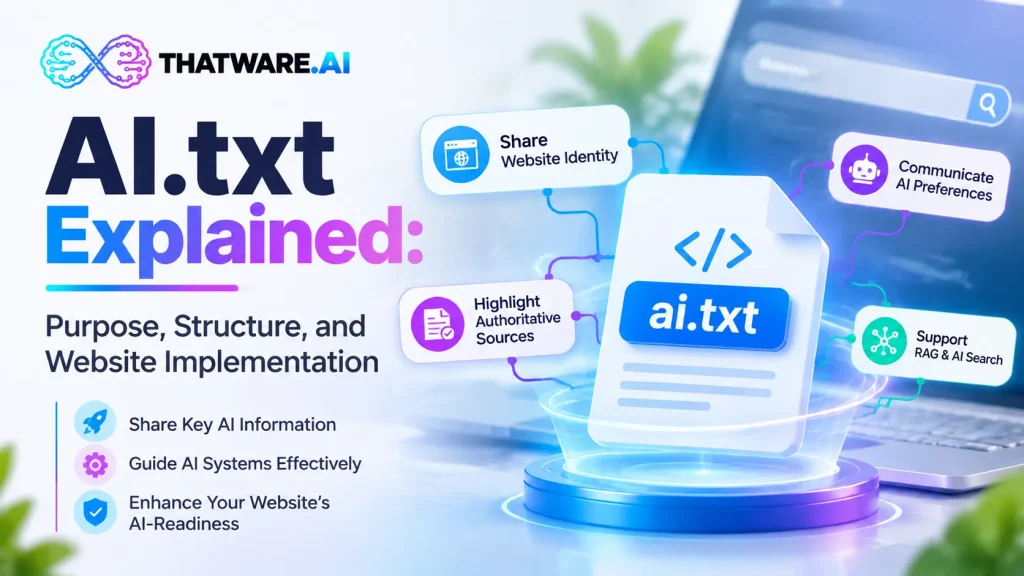
An ai.txt file is a proposed machine-readable mechanism for communicating a website owner’s AI-related preferences, policies, or guidance. However, the filename does not have one universally adopted meaning across the web. Some proposals use it to express AI training, licensing, attribution, and content-use preferences. Other implementations, including the approach described within ThatWare AI Stack, position it as a foundational guidance file that identifies website information, preferred sources, important content sections, related AI Stack assets, and update information.
That distinction matters when implementing the file. A website owner must first decide what the file is intended to communicate, which format it follows, and which systems are expected to consume it.
Publishing an ai.txt file should not be treated as a shortcut to higher search rankings or guaranteed AI citations. Its practical value depends on the clarity of its contents, the consistency of its declarations, the availability of the resources it references, and whether relevant systems recognize and use the chosen format.
This guide explains the purpose of ai.txt, its proposed structure, the decisions involved in implementation, how it differs from established website files, and how to maintain it as part of a broader AI-readiness strategy.
What Is an ai.txt File?
An ai.txt file is a plain-text website resource intended to communicate information relevant to AI systems. Its exact role depends on the specification or implementation being followed.
There are two important concepts to distinguish.
AI usage policy: A policy-oriented ai.txt implementation can communicate preferences concerning activities such as model training, content reuse, licensing, attribution, or access by particular AI agents. The purpose is to make an organization’s position easier to locate and interpret.
AI-facing website guidance: A guidance-oriented implementation can identify the organization, important source locations, preferred content sections, related machine-readable resources, and relevant version information. This is the role assigned to ai.txt within the ThatWare AI Stack described in this article.
These approaches address related but different needs. A guidance file that points to authoritative content does not automatically define content licensing. Similarly, a policy declaration does not automatically create a structured index of a website’s most useful resources.
A website owner should not combine these functions without documenting their meaning. If a platform uses a particular ai.txt schema, its documentation should explain which fields are supported, how they should be interpreted, and whether the file is intended to provide guidance, express preferences, or perform both functions.
Why does the file exist?
The web contains information that is often difficult to summarize through a single entry point. A company’s identity might be described on its homepage, technical expertise in its documentation, product information across multiple URLs, and licensing terms in a separate policy page.
A carefully designed machine-readable file can provide a concise reference to relevant information without requiring a consumer to infer the website owner’s preferred resources from navigation alone.
Depending on the implementation, this can help with:
- Making organizational information easier to locate.
- Identifying authoritative website resources.
- Communicating documented AI usage preferences.
- Linking to other machine-readable assets.
- Reducing ambiguity about which information is current.
- Supporting consistent website governance.
The file is best understood as one component of a wider technical and governance system, not a replacement for a website’s existing information architecture.
Is ai.txt an official web standard?
There is no single, universally adopted ai.txt specification that all websites and AI platforms follow. Different proposals use the name for different purposes, and compatibility must be assessed against the specific implementation.
For example, a June 2026 Internet-Draft titled AI.TXT: A Declaration File for AI Usage Preferences, Licensing, and Policy describes a structured approach to publishing AI-related preferences at a well-known URL. An Internet-Draft is a proposal, not proof that the mechanism has become an established web standard or that major AI systems support it.
Consequently, a responsible implementation should identify the selected schema and avoid assuming that every crawler or language model will interpret the file automatically.
For ThatWare AI, this means documenting the intended ai.txt format as part of the AI Stack rather than implying that all existing ai.txt implementations are interchangeable.
What Is the Purpose of ai.txt?
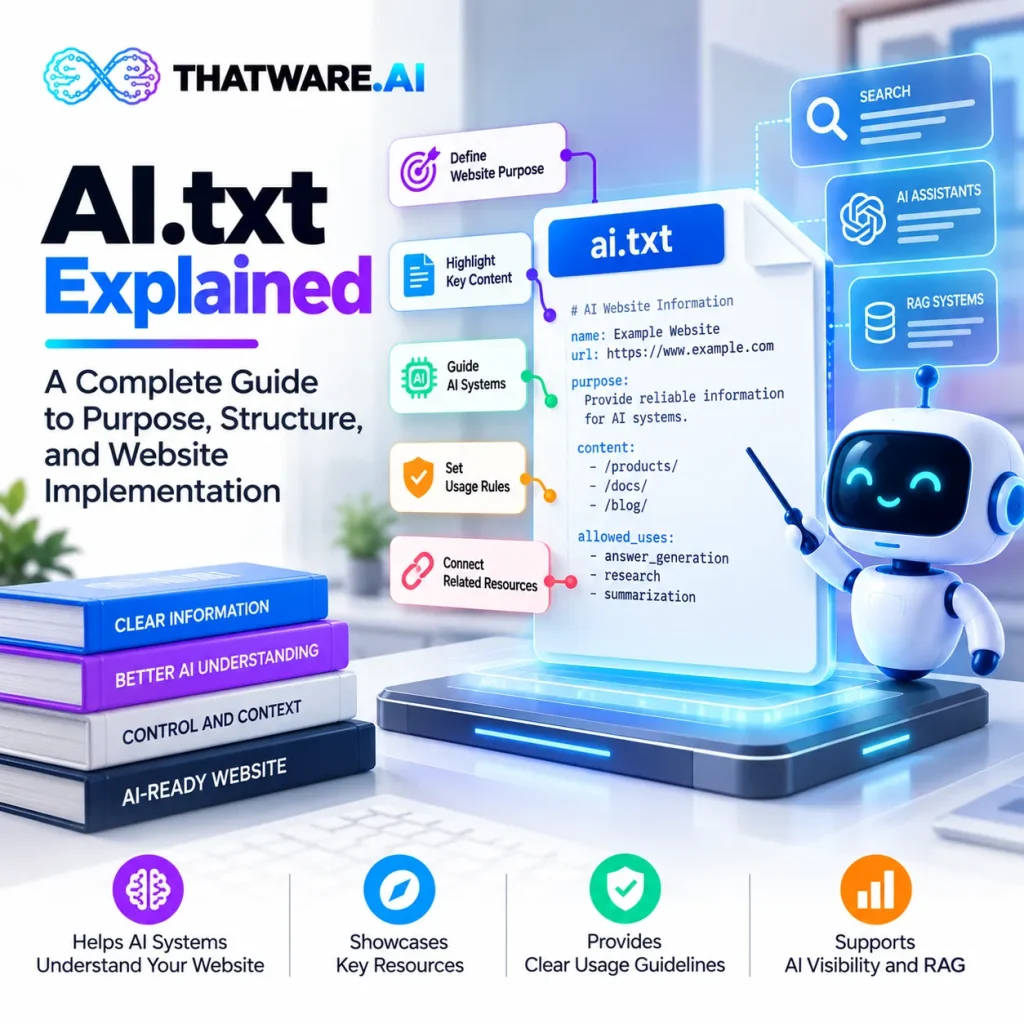
The primary purpose of an ai.txt file is to create a clearly defined, machine-readable point of reference for information that a website owner wants to communicate to AI-related systems.
The precise benefits depend on what the file contains and how it is consumed. A well-designed implementation can improve the clarity of website guidance, but it cannot independently guarantee that an external system will retrieve, understand, or follow that guidance.
Establish a clear website identity
AI-facing resources should identify the organization and website to which they belong. This becomes especially important for companies with several brands, regional websites, product domains, or documentation portals.
A guidance-oriented ai.txt file can identify the site, link to its official homepage, and reference relevant organizational information.
For example, a company may operate a corporate website, a developer portal, and a separate documentation domain. A clearly maintained file can identify the appropriate website and point to its authoritative resources.
This is useful for governance and discovery, but it should not be confused with a universal mechanism for resolving entity identity. AI systems may still need to evaluate the content itself, supporting evidence, structured data, and references from other sources.
Identify preferred source locations
Websites often contain multiple versions of similar information. A product might appear on a category page, a campaign landing page, an outdated announcement, and a technical documentation page.
A website guidance file can point to the most appropriate source for a specific purpose.
For instance, an organization may prefer its official product documentation over an old promotional article when directing readers toward technical specifications.
The file should reference canonical, maintained resources wherever possible. Otherwise, it may introduce another layer of conflicting information rather than resolving the original problem.
Organize important content sections
An organization may want to identify its documentation, research library, product information, policies, or official announcements as important website resources.
A guidance-oriented ai.txt implementation can list these sections and explain their intended relevance.
This can be particularly useful for large websites where important information is distributed across multiple directories. However, listing a URL does not force an AI system to crawl it or prioritize it. The file communicates a preference; actual behavior depends on the consuming system.
Link related AI Stack assets
An ai.txt file can serve as an entry point to other resources, provided the selected implementation defines how those links should be interpreted.
Within the ThatWare AI Stack, the proposed related assets include:
- llms.txt
- ai-manifesto.json
- vector-feed.xml
- semantic-sitemap.xml
These resources should have clearly differentiated roles and documented formats. The ai.txt file can point to them, while the other files provide their respective content, metadata, or feed structures.
This creates a more organized implementation than maintaining several disconnected files with unclear relationships.
Communicate AI usage preferences
In a policy-oriented implementation, ai.txt may be used to declare preferences about AI training, content reuse, licensing, attribution, or related activities.
These declarations require particular care. A website owner should not assume that a statement in a text file automatically creates a binding legal restriction or technically prevents a system from using the content.
Organizations with specific licensing or compliance requirements should define their policy with appropriate legal guidance and use mechanisms supported by their intended platforms. The policy should also be consistent with relevant terms of service, copyright notices, contractual arrangements, and crawler directives.
Support maintenance and governance
Website content changes frequently. Product pages are revised, policies are updated, documentation moves, and old resources are retired.
A machine-readable file should therefore include or be associated with a clear maintenance process. Version information, last-updated metadata, ownership, and automated validation can help teams identify stale declarations and broken references.
This is particularly important for enterprise websites, where a file may be generated from several systems and maintained by different teams.
How ai.txt Works: From Website Information to Machine-Readable Guidance
An ai.txt file does not need to be complicated to be useful. Its effectiveness depends on whether the information is accurate, clearly structured, accessible, and relevant to its intended consumers.
A practical implementation can be understood through five stages.
Stage 1: Identify the website and its purpose
The website owner defines the scope of the file. It may cover a single website, a specific documentation portal, or an organization’s broader web presence, depending on the chosen format.
The owner then identifies the information the file is intended to communicate.
For a guidance-oriented file, this could include the website name, official URL, preferred content sections, and related machine-readable resources. For a policy-oriented file, it could include supported AI usage preferences and licensing references.
Stage 2: Define the schema
A schema determines which fields are allowed, how they are represented, and what they mean.
For example, a guidance schema might contain fields for website identity, authoritative sources, related assets, and version information. A policy schema might define structured values for training preferences, attribution requirements, or licensing references.
These fields should not be mixed casually. If the file follows a documented schema, developers and downstream consumers can interpret it more consistently.
Stage 3: Publish the file at a documented location
The file must be hosted at the location expected by the selected implementation.
Some proposals use a root-level URL such as /ai.txt, while the June 2026 Internet-Draft mentioned earlier describes /.well-known/ai.txt.
These locations are not automatically interchangeable. A website should follow the selected specification, document the location, and avoid publishing conflicting versions without a clear resolution strategy.
Stage 4: Validate the content and references
Validation should check that the file is accessible, follows the expected syntax, and points to the intended resources.
Depending on the schema, checks may include:
- Valid field names and values.
- Correct character encoding.
- Accessible referenced URLs.
- Consistent website identity.
- Valid links to related assets.
- Current version and update information.
- Absence of contradictory or ambiguous declarations.
A successful HTTP response is only one part of validation. A file can return status code 200 and still contain incorrect or misleading information.
Stage 5: Maintain and monitor the implementation
The file should be updated when the information it represents changes.
For manually maintained files, this requires ownership and a review process. For automatically generated files, the generation process should be tested to ensure that it produces accurate information and does not publish broken or stale references.
The final objective is not simply to create a file once. It is to maintain a reliable source of website guidance or policy that remains aligned with the organization’s actual content and intentions.
What Should an ai.txt File Contain?
The appropriate structure depends on the implementation being followed. There is no universal field list that can be applied safely to every file named ai.txt.
For the guidance-oriented approach described within ThatWare AI Stack, the following information provides a useful starting point.
Website and organization identity
The file should clearly identify the website it describes.
Relevant information may include:
- Organization or brand name.
- Official website URL.
- A concise description of the website’s purpose.
- Links to authoritative organizational information.
The information should match the organization’s official website and other maintained records.
Preferred source locations
The file can identify the pages or directories that provide authoritative information.
Examples include official product documentation, technical references, company information, research publications, and current policies.
The aim is to make source preferences explicit without duplicating the entire website or listing every URL indiscriminately.
Important content sections
A site may identify the areas that are particularly relevant to its audience or purpose.
For a software company, these could include documentation, product specifications, developer resources, and release notes. A publisher might prioritize editorial policies, research archives, and subject-specific collections.
The chosen sections should reflect actual content and should not be included merely to make the file appear comprehensive.
Links to related AI Stack assets
Where supported by the implementation, the file can link to other resources, including llms.txt, ai-manifesto.json, vector-feed.xml, and semantic-sitemap.xml.
Each linked asset should have a documented purpose. Consumers should not have to infer whether a resource represents a policy, a curated content index, a data feed, or a semantic map.
Content-use or access guidance
If the file communicates content-use preferences, those declarations should follow an explicitly defined policy schema.
A free-form statement such as “AI systems may use this website responsibly” is unlikely to provide enough precision for automated interpretation.
Instead, policy-oriented implementations should identify the relevant activity, the preference being declared, the scope of the declaration, and any applicable licensing or attribution requirements.
The exact syntax must come from the selected specification rather than from invented field names.
File version and update information
Versioning helps developers understand which format is in use and helps teams maintain the file over time.
Useful metadata may include a schema version, generation timestamp, last-updated date, and responsible team or contact, provided the selected format supports them.
Version information should not imply that the file is valid or compliant unless the implementation has actually been checked.
An Example of a Guidance-Oriented ai.txt File
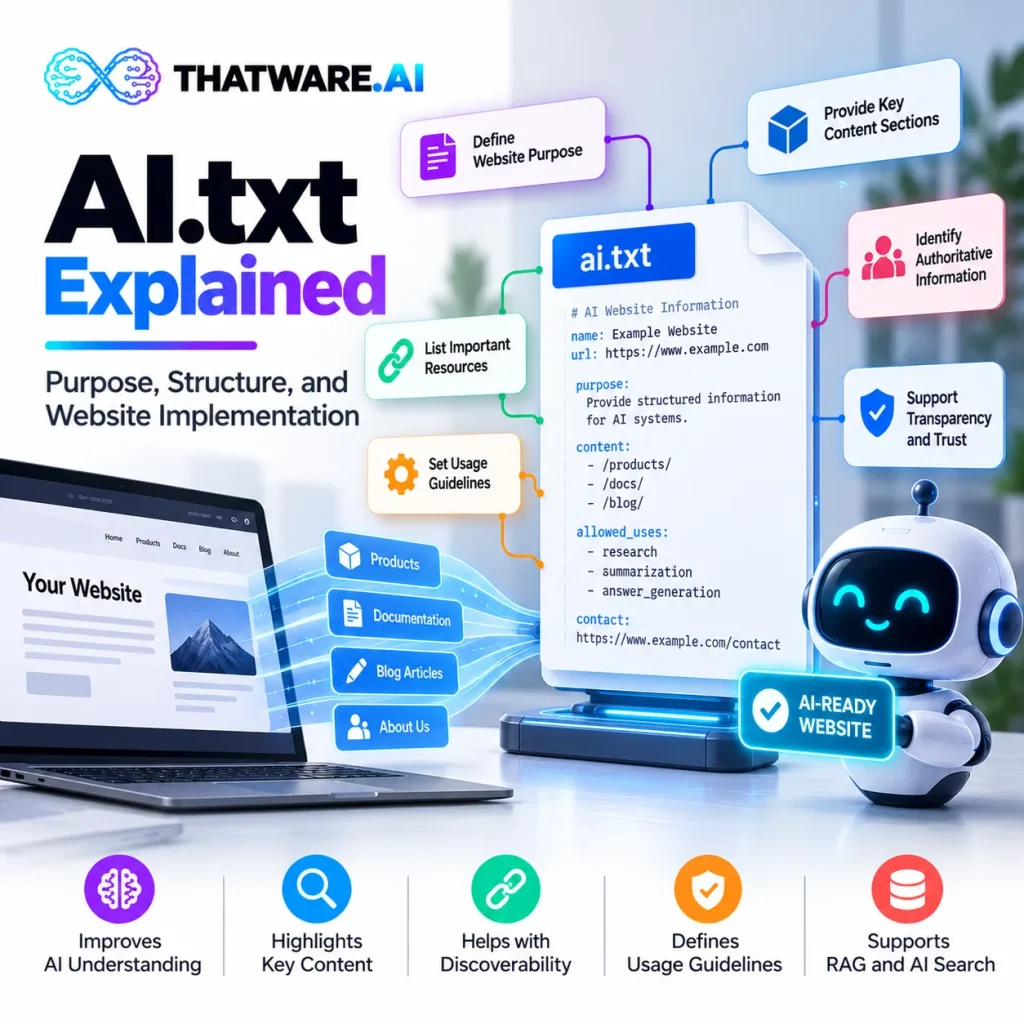
The following is an illustrative example of how a website might organize AI-facing guidance. It is not a universal ai.txt standard, and its fields should not be assumed to work with every crawler or AI platform.
# AI Website Guidance
Site-Name: Example Technologies
Site-URL: https://www.example.com/
Description: Official website for Example Technologies.
## Authoritative Sources
Company Information: https://www.example.com/about/
Product Documentation: https://www.example.com/docs/
Product Information: https://www.example.com/products/
Security Policy: https://www.example.com/security/
## Related AI Resources
LLM Guide: https://www.example.com/llms.txt
AI Manifest: https://www.example.com/ai-manifesto.json
Vector Feed: https://www.example.com/vector-feed.xml
Semantic Sitemap: https://www.example.com/semantic-sitemap.xml
## Maintenance
Version: 1.0
Last-Updated: 2026-10-16
This example demonstrates the general idea of organizing website identity, preferred sources, related assets, and maintenance information in one place. It does not establish a normative syntax.
Before deploying a file like this, a website owner should verify that the chosen implementation accepts these field names and formatting conventions. If the specification requires a different structure, that specification takes precedence.
It is also important to avoid placing secrets, private URLs, credentials, or internal system information in a publicly accessible file. Publishing a reference to a URL does not make that URL secure, and a public declaration is not an access-control mechanism.
How to Implement ai.txt on a Website
A reliable implementation begins with a clear purpose and a documented format. The steps below describe a general deployment process for a guidance-oriented file. A policy-oriented implementation may require additional legal, technical, and compliance checks.
Step 1: Define the objective
Decide what the file is intended to accomplish.
Questions to answer include:
- Is the objective to identify authoritative content?
- Does the file need to reference other AI Stack assets?
- Is it intended to communicate AI usage preferences?
- Which systems or workflows are expected to consume it?
- Is the file intended for one domain or multiple websites?
The answers determine the appropriate schema and deployment strategy.
Step 2: Select and document the format
Choose an implementation with documented field definitions and expected behavior.
If the file is generated through a platform, review its documentation before assuming that its output is compatible with another proposal using the same filename.
For enterprise deployments, the format should be version-controlled and reviewed whenever the schema changes.
Step 3: Gather authoritative website information
Identify the official website URL, organizational identity, relevant content sections, canonical pages, and related machine-readable resources.
Avoid using outdated URLs or automatically including every page found by a crawler. A smaller set of authoritative references is often more useful than a large collection of redundant links.
For websites with duplicate URLs, query parameters, localized pages, or redirected content, determine which versions should be treated as authoritative before generating the file.
Step 4: Create the file
Create the file using the syntax defined by the selected implementation.
A plain-text editor is sufficient for a simple format. Larger websites may benefit from a generation process that uses a central configuration, content-management system, or structured source records.
Automation can reduce repetitive work, but it must not replace validation. A generator can consistently produce incorrect data if its source information is inaccurate.
Step 5: Publish it at the correct URL
Deploy the file at the location required by the selected specification.
For a root-level implementation, the resulting URL may be:
https://www.example.com/ai.txt
For an implementation based on the June 2026 Internet-Draft, the proposed location is:
https://www.example.com/.well-known/ai.txt
Do not assume that publishing one automatically satisfies the other. If multiple locations are used for compatibility, define which file is authoritative and keep the content consistent.
The web server should return the intended file rather than a generic application page, login screen, redirect loop, or HTML error template.
Step 6: Check HTTP accessibility
Open the deployed URL and verify that it returns the expected content.
Technical checks should include:
- An appropriate HTTP status code.
- Correct content rather than an HTML fallback page.
- Suitable text content type for the chosen format.
- Valid character encoding.
- No unintended authentication requirement.
- No redirect to an unrelated URL.
- No caching configuration that prevents timely updates.
For a public file, a successful request from a browser does not prove that all automated clients can access it. Network restrictions, bot protection, content delivery networks, and server rules can affect access differently.
Step 7: Validate syntax and linked resources
Check the file against the selected schema or documented conventions.
Verify that referenced URLs resolve correctly and lead to the intended information. Confirm that the file does not contain contradictory declarations or outdated references.
If the implementation includes structured fields, use an appropriate validator rather than relying solely on visual inspection.
Step 8: Align related website files
Review the relationship between ai.txt, robots.txt, sitemap.xml, llms.txt, and other AI-facing resources.
These files serve different purposes and should not be treated as substitutes for one another. A website can publish a guidance file while continuing to use established crawling directives, conventional sitemaps, canonical URLs, and structured data.
If a policy file communicates preferences that conflict with other published declarations, resolve the inconsistency before deployment.
Step 9: Assign ownership
Define who is responsible for maintaining the file.
For a small website, the owner may be a developer or SEO specialist. For a larger organization, ownership may involve web engineering, content governance, security, legal, and AI platform teams.
A documented owner reduces the risk of stale information and makes changes easier to review.
Step 10: Monitor and regenerate
Revisit the file whenever its underlying information changes.
If it is generated automatically, establish checks for failed generation, missing assets, invalid URLs, and unexpected changes in output. If it is maintained manually, schedule periodic reviews and retain version history.
The result should be a maintained website resource, not a one-time deployment that gradually becomes inaccurate.
ai.txt vs robots.txt vs llms.txt vs sitemap.xml
These files are often discussed together because they relate to website discovery and AI systems. However, their roles differ significantly.
| File | Main purpose | Important limitation |
| robots.txt | Communicates crawler access rules under the Robots Exclusion Protocol | It is not authentication and cannot force every crawler to comply. |
| sitemap.xml | Lists URLs that search engines may discover and crawl | Listing a URL does not guarantee indexing or ranking. |
| llms.txt | A proposed convention for presenting a curated guide to useful website content | Adoption and consumption are not universal. |
| ai.txt | Depending on the proposal, communicates AI usage preferences or AI-facing website guidance | Meaning and syntax vary across implementations. |
robots.txt: crawler access
robots.txt is an established protocol for communicating crawler access preferences. It is commonly used to specify which paths particular crawlers should avoid requesting.
It does not provide comprehensive security. Restricted content should be protected with appropriate authentication and authorization controls, not merely omitted from crawling.
It also does not automatically express every possible licensing or downstream content-use preference.
sitemap.xml: URL discovery
An XML sitemap provides a structured list of URLs that search engines may use to discover website content.
It is particularly useful for large websites, new content, and pages that are not easily discovered through internal links.
A sitemap is not necessarily a curated guide to an organization’s most authoritative information, nor is it a declaration of AI usage preferences.
llms.txt: curated content guidance
llms.txt is a proposed convention for helping language models and related tools navigate a website’s important resources, typically through a Markdown document.
Its purpose differs from that of a policy-oriented ai.txt file. It is generally about describing or organizing useful content rather than declaring permissions for training or reuse.
However, the distinction depends on the specific implementation, and support should be verified rather than assumed.
ai.txt: guidance or policy, depending on the schema
An ai.txt implementation should be evaluated by its actual specification.
In the ThatWare AI Stack context, it is described as a foundational guidance layer for identifying the website, preferred source locations, important content sections, related assets, and update information.
Other proposals use the same filename for AI usage policy declarations. This is precisely why documentation matters: two files with the same name should not be assumed to carry the same semantics.
A sound website architecture assigns each resource a defined role and maintains consistency between them.
Does ai.txt Improve AI Search Visibility?
This question requires a distinction between making information available and demonstrating that an AI system has used it.
An ai.txt file may make a website’s guidance or preferences easier to locate for a compatible system. However, the presence of the file alone does not prove that an AI crawler reads it, that a retrieval system uses its references, or that a generated answer will cite the website.
AI visibility depends on several factors, including the quality and relevance of the underlying content, source accessibility, retrieval mechanisms, entity clarity, corroborating evidence, and the behavior of individual platforms.
A guidance file can contribute to a broader technical setup, but it should not be treated as a direct ranking signal without evidence.
What should website owners measure?
Instead of measuring success by the mere existence of the file, organizations should evaluate the implementation at several levels.
Technical validity: Does the file load correctly, follow its schema, and reference valid resources?
Content accuracy: Are the identity, links, policies, and version information accurate and current?
System compatibility: Is there evidence that the intended consumer recognizes the file or its format?
Retrieval performance: In a controlled retrieval workflow, does the resource help the system identify the intended authoritative content?
AI visibility: Over time, are relevant brand mentions, citations, or answer appearances changing in a way that can be measured reliably?
The last category requires careful methodology. AI responses can vary across prompts, platforms, dates, regions, and user contexts. A credible measurement program uses consistent test conditions and records source evidence rather than attributing every change to a single file.
For ThatWare AI, this distinction is particularly relevant because the broader platform connects AI readiness with visibility and entity intelligence. The strongest assessment would measure file validity and operational use separately from downstream AI visibility outcomes.
Common ai.txt Implementation Mistakes
Mistake 1: Treating the filename as a universal standard
The filename alone does not define a file’s meaning. Different proposals may use different paths, syntax, fields, and intended consumers.
Better approach: Document the implementation and validate the file against its actual schema.
Mistake 2: Assuming that publishing the file controls AI systems
A public declaration is not automatically enforceable. A crawler may ignore the file, may not know it exists, or may follow a different policy mechanism.
Better approach: Use the appropriate access controls, contractual terms, licensing arrangements, and supported policy mechanisms for the intended requirement.
Mistake 3: Using the file as a replacement for robots.txt
An AI guidance or policy file does not replace the established mechanisms used to communicate crawler access rules.
Better approach: Maintain robots.txt for its intended role and ensure that related declarations are consistent.
Mistake 4: Including too many irrelevant URLs
A long list of unrelated, duplicated, or outdated pages makes the guidance less useful and creates maintenance problems.
Better approach: Select authoritative sources and remove unnecessary references.
Mistake 5: Publishing broken or redirected links
A file can appear correct while pointing to resources that have moved, become inaccessible, or now return unrelated content.
Better approach: Run automated URL checks and review important references before deployment.
Mistake 6: Mixing policy declarations with content navigation
A file that mixes unsupported permission fields with loosely defined source references can be difficult for consumers to interpret.
Better approach: Keep the roles separate or use a documented schema that explicitly supports the required combination.
Mistake 7: Neglecting updates
A stale file may direct consumers toward outdated product information, obsolete policies, or retired documentation.
Better approach: Establish versioning, ownership, change-triggered regeneration, and periodic audits.
Mistake 8: Assuming that file generation equals AI readiness
Generating a file does not prove that a website’s content is accurate, accessible, well structured, or useful to AI systems.
Better approach: Treat the file as one component of a larger technical and content-quality program.
How to Manage ai.txt for Large and Enterprise Websites
The maintenance requirements become more complex when an organization operates several domains, product lines, regions, or documentation portals.
A manually maintained file may be sufficient for a small site. An enterprise environment often needs a more controlled process.
Centralize source information
Maintain authoritative records for organization identity, preferred URLs, policies, and related assets. These records should be owned by the relevant teams and used as the source for generated files.
This reduces the risk of one domain publishing outdated information while another publishes a newer version.
Use version control
Store the file or its source configuration in version control where appropriate. Record changes, review them before deployment, and retain the ability to identify when and why a declaration changed.
For policy-related content, changes may need approval from legal, security, or governance teams.
Define domain-level scope
A corporate domain, a regional website, and a developer portal may have different authoritative sources and content-use considerations.
Define which file applies to each website and how cross-domain references should work. Avoid implying that a declaration on one domain automatically governs every other domain.
Automate validation
An automated pipeline can check file syntax, required fields, URL availability, duplicate references, schema compatibility, and unexpected changes.
For larger deployments, validation should happen before publication rather than only after a problem is reported.
Monitor drift
Website content changes continuously. Compare the published file with its source configuration and detect when references, policies, or related assets become outdated.
The system should alert the responsible owner when a file fails validation or a significant source changes.
Maintain auditability
Enterprise teams may need to know which version was published, who approved it, when it changed, and which domains were affected.
A clear audit trail improves operational accountability, especially when the file communicates policies or supports a regulated workflow.
How ThatWare AI Stack Approaches ai.txt
Within ThatWare AI Stack, ai.txt is presented as the foundational entry point for a coordinated set of AI-facing website assets.
The proposed role is to organize website and organization identity, preferred source locations, important content sections, links to additional assets, content-use or access guidance, and file version information.
This positioning makes ai.txt part of a broader workflow rather than an isolated file.
The workflow described by ThatWare AI Stack includes analyzing an existing website, structuring the information, generating assets, reviewing and validating the output, and deploying or regenerating the files as website content changes.
The other proposed assets have complementary roles:
- llms.txt provides a curated content guide under its selected convention.
- ai-manifesto.json provides structured AI-facing information according to the platform’s schema.
- vector-feed.xml represents a feed intended for vector-oriented workflows.
- semantic-sitemap.xml represents a semantic organization of website content.
These roles need clear documentation and should not be confused with universally supported web standards.
Where automation helps
Automated generation can reduce repetitive work when websites contain many pages or change frequently. A platform can gather source information, create consistent outputs, and identify missing or outdated references.
However, automation is only as reliable as its inputs and validation rules. A generated file should still be checked for factual accuracy, appropriate scope, valid references, and compatibility with its intended consumers.
What should customers verify?
Before deploying a generated ai.txt file, customers should understand:
- Which ai.txt schema the platform uses.
- Where the file is published and how that location was selected.
- What each field means and which consumers are expected to recognize it.
- How the file is validated.
- How changes to website content trigger regeneration.
- How policy-related declarations are reviewed.
- Which outcomes are measured directly and which remain dependent on external AI systems.
This level of documentation helps customers evaluate the file on its technical merits instead of relying on broad claims about AI readiness.
A Practical ai.txt Implementation Checklist
Use the following checklist before publishing or updating an ai.txt file.
Scope and specification
- Define whether the file provides website guidance, usage preferences, or both.
- Select a documented implementation.
- Confirm the required URL location and syntax.
- Define the website or domain covered by the file.
Content quality
- Verify the organization name and official website URL.
- Include only authoritative, relevant source references.
- Check related AI Stack asset links.
- Ensure policy declarations are precise and consistent where applicable.
- Remove confidential information and unnecessary references.
- Include version or update information if supported.
Technical validation
- Confirm that the URL returns the intended file.
- Check HTTP status, redirects, content type, and encoding.
- Validate the file against the selected schema.
- Test referenced URLs.
- Check for contradictory or stale information.
- Verify the published output rather than only the source file.
Governance and monitoring
- Assign a responsible owner.
- Establish a change and approval process.
- Automate validation where appropriate.
- Track file versions and deployment dates.
- Review the file when policies or website structure change.
- Measure operational outcomes without assuming that publication guarantees AI visibility.
Conclusion: Treat ai.txt as a Defined Website Resource, Not an AI Visibility Shortcut
An ai.txt file can provide a useful, machine-readable way to communicate website guidance or AI usage preferences, depending on the implementation. Its value comes from clearly defined semantics, accurate information, valid references, appropriate deployment, and consistent maintenance.
The most important implementation decision is to establish what the file is meant to communicate. A guidance-oriented file can identify authoritative website resources and related AI Stack assets. A policy-oriented file can declare AI-related preferences under a particular proposal. Those roles may complement each other, but they should not be treated as identical without a documented schema.
Website owners should also maintain the established foundations of web discovery: accessible content, sensible internal linking, canonical URLs, structured data where appropriate, conventional sitemaps, and correctly configured crawler access rules.
For organizations adopting the ThatWare AI Stack, ai.txt can serve as the starting point for a coordinated website AI-readiness workflow. Its contribution should be evaluated through technical validity, content accuracy, compatibility, governance, and measurable operational results.
The goal is not simply to publish another file at the root of a website. It is to make the intended guidance or policy clear, maintainable, and useful to the systems and teams that are expected to rely on it.
Frequently Asked Questions
1. What is an ai.txt file used for?
An ai.txt file is used to communicate AI-related website information or preferences, depending on the implementation. In the ThatWare AI Stack, it serves as a guidance layer that identifies the website, important source locations, related AI assets, and maintenance information.
2. Where should an ai.txt file be placed?
The location depends on the selected specification. Some implementations use /ai.txt at the website root, while the June 2026 Internet-Draft for a policy-oriented implementation proposes /.well-known/ai.txt. Website owners should document the chosen location and verify compatibility with the systems they intend to support.
3. Does ai.txt replace robots.txt?
No. robots.txt communicates crawler access rules under the Robots Exclusion Protocol. An ai.txt file may communicate other information or preferences, but it does not automatically replace those rules or provide security for restricted content.
4. Does ai.txt guarantee visibility in ChatGPT or other AI search platforms?
No. Publishing a file does not guarantee that a platform will read it, use its contents, mention a brand, or cite a website. AI visibility depends on several factors, including content relevance, accessibility, retrieval behavior, and the evidence available to the system.
5. What information should an ai.txt file contain?
For a guidance-oriented implementation, useful fields may include website identity, authoritative source URLs, important content sections, links to related AI Stack assets, and version information. A policy-oriented implementation may require different fields for training preferences, licensing, attribution, and other usage declarations. The selected schema should determine the final structure.
6. Can ai.txt be generated automatically?
Yes. A website platform can generate a file from structured source information, a content management system, or a website analysis workflow. Automated generation should be accompanied by schema validation, URL checks, change tracking, and a process for reviewing policy-sensitive information.
7. How often should an ai.txt file be updated?
Update it whenever its underlying information changes, including authoritative URLs, related assets, policies, or website structure. Automated systems can regenerate the file when relevant changes occur, while smaller websites may use scheduled reviews.
8. Is ai.txt useful for enterprise websites?
It can be useful as part of an enterprise website governance strategy, particularly when several domains need consistent guidance or policy declarations. Enterprises should define domain scope, ownership, versioning, approval processes, and validation requirements before deploying the file across a large digital estate.
RAGs
1. ai.txt Provides a Centralized Reference for AI-Related Website Information
An ai.txt file is a machine-readable website resource designed to communicate AI-related information or preferences, depending on the implementation. Within the ThatWare AI Stack, it serves as a foundational guidance layer that identifies a website, highlights authoritative content sources, links to related AI assets, and provides relevant maintenance information. Its exact structure and behavior depend on the specification being followed.
2. ai.txt Helps Organize Important Website Sources for AI Systems
The primary purpose of ai.txt is to provide a centralized reference for information that a website owner wants to communicate to AI-related systems. It can organize website identity, preferred source locations, important content sections, and links to other machine-readable resources. Policy-oriented implementations may also communicate AI usage preferences, but these functions should be clearly defined rather than assumed to be interchangeable.
3. ai.txt Must Be Published at a Location Defined by Its Implementation
The correct location depends on the implementation. A guidance-oriented setup may use a root-level URL such as https://example.com/ai.txt, while a policy-oriented proposal may specify https://example.com/.well-known/ai.txt. Website owners should follow their chosen specification, publish the file at the documented location, and verify that the URL returns the expected content.
4. An ai.txt File Should Contain Accurate Website Identity and Source Information
A guidance-oriented ai.txt file can include the website name, official URL, authoritative source locations, important content sections, links to related AI Stack assets, and version or update information. The exact fields depend on the chosen format. Policy-oriented implementations may require separate declarations for content usage, licensing, or attribution, so website owners should validate the file against the relevant schema.
5. ai.txt Does Not Follow One Universally Adopted Web Specification
There is no single, universally adopted ai.txt specification that every website and AI platform follows. Different proposals use the filename for different purposes, including AI usage preferences and website guidance. Consequently, website owners should document their implementation, follow its specified syntax, and verify compatibility with the systems they intend to support rather than assuming universal recognition.
6. ai.txt and robots.txt Serve Different Website Management Purposes
robots.txt communicates crawler access rules under the Robots Exclusion Protocol, whereas ai.txt may communicate AI-related website guidance or usage preferences, depending on its implementation. The two files serve different purposes and should not be treated as interchangeable. Neither a public ai.txt declaration nor a robots.txt rule provides access security for confidential resources; restricted content requires appropriate authentication and authorization.
7. ai.txt Alone Cannot Guarantee Visibility in AI-Generated Answers
Publishing an ai.txt file does not guarantee that a website will appear in AI-generated answers or receive more citations. Its potential usefulness depends on the quality of its information, the accessibility of referenced resources, and whether relevant systems recognize and use the format. AI visibility should be evaluated separately through evidence such as brand mentions, citations, answer appearances, and controlled retrieval tests.
8. Automated ai.txt Generation Simplifies Website Asset Maintenance
AI-readiness platforms such as ThatWare AI Stack can support automated ai.txt generation using existing website information and predefined structures. Automation can reduce manual maintenance and help keep references consistent across large websites. However, generated files should still be checked for valid syntax, accurate source URLs, correct website identity, and compatibility with the selected implementation.
9. Regular ai.txt Updates Keep Website Guidance Accurate and Relevant
An ai.txt file should be updated whenever the information it represents changes, including authoritative source URLs, related AI assets, policies, or website structure. Websites with frequently changing content can use automated regeneration and validation, while smaller sites may conduct periodic reviews. Version tracking, URL monitoring, and clear ownership help prevent outdated or contradictory information from remaining published.
10. ai.txt Acts as the Foundational Guidance Layer Within ThatWare AI Stack
Within ThatWare AI Stack, ai.txt serves as the foundational guidance file, connecting website identity and preferred sources with other proposed assets such as llms.txt, ai-manifesto.json, vector-feed.xml, and semantic-sitemap.xml. These files are intended to work together within a coordinated website AI-readiness workflow. Their effectiveness depends on documented formats, accurate data, appropriate deployment, and whether the intended downstream systems can use them.

admin
AI and generative search strategist at ThatWare AI.